SmartSystemMenu Alternatives

SmartSystemMenu is described as 'Extends system menu of all windows in the system. It appends next custom items to menu:' and is a Window Manager in the os & utilities category. There are more than 25 alternatives to SmartSystemMenu for a variety of platforms, including Windows, PortableApps.com, File Explorer, Linux and Thunderbird apps. The best SmartSystemMenu alternative is MenuTools, which is both free and Open Source. Other great apps like SmartSystemMenu are Sizer, RBTray, KDocker and SmartContextMenu.

Copy a direct link to this comment to your clipboard
SmartSystemMenu alternatives page was last updated

Alternatives list

  1. Copy a direct link to this comment to your clipboard

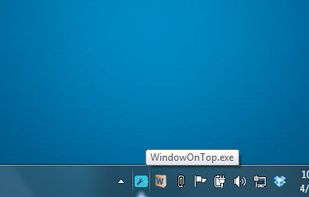
    Window on Top can be used to make any application topmost,that is to keep it above all other windows. This functionality is identical to the "Always on Top" setting found in some programs. With "Window on Top" you can add this feature to any program.

    Cost / License

    • Freemium
    • Proprietary

    Platforms

    • Windows
     
  2. Minime icon
     5 likes
    Copy a direct link to this comment to your clipboard

    Minime is a tool that allows you to minimize applications to the system tray using a simple hotkey. What makes this tool somewhat unique is that it keeps your system tray clean by minimizing all applications into a single tray icon.

    Cost / License

    • Free
    • Proprietary

    Alerts

    • Discontinued

    Platforms

    • Windows
     
  3. Glass2k icon
     4 likes
    Copy a direct link to this comment to your clipboard

    Small little program that allows Windows 2000/XP users to make any window transparent. Right-click on any window or press the keyboard shortcuts (Control + Shift + [0-9]) to make any window transparent. Its that simple.

    Cost / License

    • Free
    • Proprietary

    Platforms

    • Windows
     
  4. Clicky Gone icon
     3 likes
    Copy a direct link to this comment to your clipboard

    Clicky Gone allows you to hide your selected windows from view, this includes the taskbar button associated with the application. This utility particularly helps with protecting your privacy by hiding things like your browser with banking details up and someone walks in on you.

    Cost / License

    • Free
    • Open Source

    Application type

    Platforms

    • Windows
    • PortableApps.com
     
  5. Stick-It! icon
     4 likes
    Copy a direct link to this comment to your clipboard

    Simply double-click programs systray icon, and then left click the title of the window wanted to be Always on top.... Cool feature: Windows shake when set to stay on top, with the aforementioned method.

    Cost / License

    • Free
    • Open Source

    Alerts

    • Discontinued

    Platforms

    • Windows
     
  6. GhostTile icon
     2 likes
    Copy a direct link to this comment to your clipboard

    Hide your running applications from Dock.

    Cost / License

    • Pay once
    • Proprietary

    Platforms

    • Mac
     
    • GhostTile is the most popular Mac alternative to SmartSystemMenu.

    • GhostTile is Paid and ProprietarySmartSystemMenu is Free and Open Source
  7.  3 likes
    Copy a direct link to this comment to your clipboard

    Set a window to stay on top with this single-function but handy application.

    Cost / License

    • Free
    • Proprietary

    Platforms

    • Windows
     
  8. ResizeEnable icon
     3 likes
    Copy a direct link to this comment to your clipboard

    Even if you have a big monitor screen but using a graphics card that doesn’t allow you to set a very high resolution, you will end up everything looking very big. It is annoying because all the window dialog boxes seems so big and taking up all the spaces on your desktop.

    Cost / License

    • Free
    • Proprietary

    Platforms

    • Windows
     
  9. Copy a direct link to this comment to your clipboard

    xNeat is a windows enhancement utility. With the free version you can change any windows transparency, hide it, make it always on top, send it to tray, change the process/thread priority, Shuffle the taskbar etc.

    Cost / License

    • Freemium
    • Proprietary

    Platforms

    • Windows
     
  10. ZoneSize icon
     2 likes
    Copy a direct link to this comment to your clipboard

    Define zones that autosize windows dropped on them.

    Features:

    • Hold a window over a zone for .5 sec to autosize it.
    • Doubleclick the tray icon to center the active window.

    Cost / License

    • Free
    • Proprietary

    Application type

    Platforms

    • Windows
     
  11. SizeWell icon
     3 likes
    Copy a direct link to this comment to your clipboard

    Better window resize and zoom options.

    While resizing a window, hold a modifier key to:

    • Keep its width or height.
    • Keep its aspect ratio.
    • Keep it centered.
    • Pin its bottom right corner.

    When zooming a window, hold a modifier key to:

    • Really maximiz.

    Cost / License

    • Free
    • Open Source

    Platforms

    • Mac
    • SIMBL
     
  12. Copy a direct link to this comment to your clipboard

    Crystal XP lets you adjust the transparency of open windows, but don't expect anything awe-inspiring. Crystal XP's comprehensive interface is reminiscent of Windows and offers its configurations in English and Dutch.

    Cost / License

    • Free
    • Proprietary

    Platforms

    • Windows
     
You are at page 3 of SmartSystemMenu alternatives