


Smartclose
Many tasks that can be performed on PC's these days require you to close all currently running programs. For example, almost every installer asks you to close all other applications to minimize conflicts and to avoid replacing in-use files.
Cost / License
- Free
- Proprietary
Platforms
- Windows

Smartclose
Features
Smartclose News & Activities
Recent activities
Smartclose information
What is Smartclose?
Many tasks that can be performed on PC's these days require you to close all currently running programs. For example, almost every installer asks you to close all other applications to minimize conflicts and to avoid replacing in-use files. Other high-end tasks, such as burning CDs and defragmenting or scanning hard drives can slow down or even fail when other processes 'kick in', like background programs, the screen saver or a scheduled task.
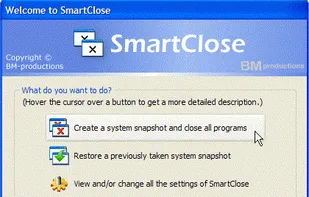
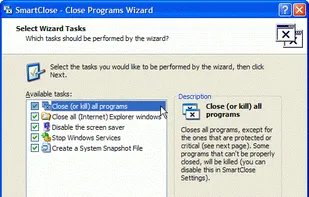
Of course, you could manually close each program one by one, disable the screen saver…, but that is where SmartClose comes in. SmartClose will automatically close all running programs, disable the screen saver and halt all other processes that can interrupt without asking.
But what when the task is finished and you want to restore everything that was disabled by SmartClose? Restart the computer? No, because before SmartClose closes or disables anything, it will save the current state of the system (running programs, screen saver…) to a 'system snapshot', that can be opened and restored again later.
Other features:
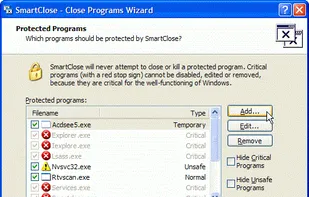
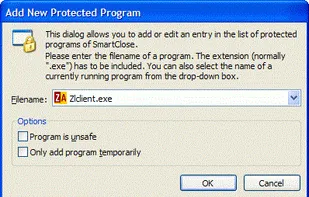
Two wizards: the Close Programs wizard, for closing all the programs, and the Restore wizard, to restore a system snapshot. Both provide an intuitive and clear interface, and assist you step by step. Thanks to its SmartClose-technology, most programs can be properly closed, so that the program can still save its settings and return memory and resources to the system. In the rare cases that a program can't be properly closed, SmartClose can use SmartKill to kill the program. Still, all the memory and resources used by the program will be freed. If you don't want a program to be closed or killed by SmartClose, you can add it to a list of 'Protected Programs'. Besides closing programs, SmartClose also closes Explorer and Internet Explorer windows and saves their current location, so they can be restored properly later. Disables and restores the screen saver. On modern Windows versions,