


Simply Good Pictures
Simply Good Pictures - One of the best fully automatic image optimizations in the world!

Cost / License
- Paid
- Proprietary
 EU
EUPlatforms
- Windows

Simply Good Pictures
Features
- Image Optimizer
- Retouch photos
Tags
- photography
Simply Good Pictures News & Activities
Recent activities
Simply Good Pictures information
Developed by
 Engelmann Media
 Licensing
Proprietary and Commercial product.Alternatives
0 alternatives listedSupported Languages
- English
What is Simply Good Pictures?
Simply Good Pictures - One of the best fully automatic image optimizations in the world!
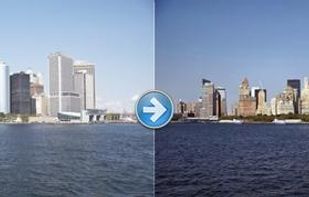
How many photos of your last holidays are still waiting for being edited? Present your photos in top form: Use the latest optimization algorithms and don't let your marvellous memories be spoilt by a poor photo quality! The innovative "Simply Good Pictures 2" software optimizes your photos with just one click!
Some of the most important program functions
Automatic object recognition: manipulates only those image parts, which help optimize the overall impression! Repair your pictures! Fully automatic re-adjustment of tonality! Fully automatic re-sharpening! Fully automatic contrast optimization! Touching-up of image through higher definition! Colour-intensive photos through re-sharpening of matt colours! Manipulation of colours to get more cheerful images! Fully automatic system for hue control and saturation! Fully automatic system for white balance. Fully automatic system for bright/dark correction. Elimination of fog and other weather influences. Elimination of undesired colour casts. Supported input formats: JPG, BMP, TIFF and RAW (.raw, .crw, .orf, .3fr, .nef, .tiff, .raf, .nrw, .dng, .cr2 and .arw)