


Sidebar Plus (Multi-bars)
Sidebar Plus - brilliant multi-tasking from anywhere It's light, fast, customizable to your taste. You can put various items in the sidebars such as apps, contacts, commonly accessed settings, shortcuts, and DashClock extensions as well at widgets. It supports multiple bars,.
Cost / License
- Free
- Proprietary
Application type
Alerts
- Discontinued
Platforms
- Android
The app doesn't exist anymore.

Features
- Sidebar
- Multitasking
- Application Launchers
Sidebar Plus (Multi-bars) News & Activities
Recent activities

Sidebar Plus (Multi-bars) information
Developed by
UnknownLicensing
Proprietary and Free product.Alternatives
3 alternatives listedSupported Languages
- English
AlternativeTo Category
OS & Utilities


What is Sidebar Plus (Multi-bars)?
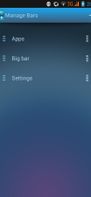
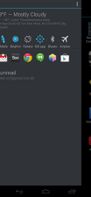
Sidebar Plus - brilliant multi-tasking from anywhere It's light, fast, customizable to your taste. You can put various items in the sidebars such as apps, contacts, commonly accessed settings, shortcuts, and DashClock extensions as well at widgets. It supports multiple bars, as well as change the visuals and trigger options for the bars.
Features ? Create multiple bars that can open from aside ? Pin apps, common settings, contacts, shortcuts into bar ? Big Bar brings favorite apps, frequent contacts, settings, weather, running apps, widgets in a bar ? Customize a bar with theme, colors, icon size, opacity, bar alignment (left/right) ? Deeply integrate to system: slide to open bar while using other app ? Include 3 themes: dark, light, holo-dark. How to cook a bar A bar consists of items and options. Items are apps, settings, shortcuts, contacts, bookmarks, widgets, Dashclock extension. No limit on a number of items on a bar. Bar restricts to items from the same category except mixed bar and big bar. Options includes themes, item style, icon style, sort order, search box and bar opacity.
Official Links
There are no links for this app, or they've been disabled.