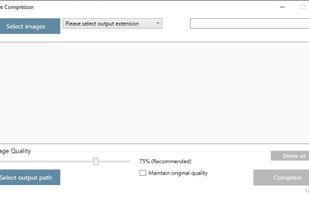
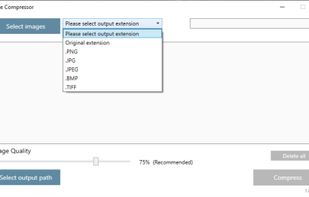
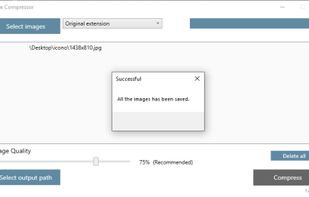
Image Compressor is a desktop software to compress images in your computer and/or change the extension. You could reduce up to 99% of the original size! Compress any image and save size with almost the same quality.


Shrink O'Matic is described as 'AIR application to easily (batch) resize (shrink) images. It handles JPGs, GIFs and PNGs' and is a Image Optimizer in the photos & graphics category. There are more than 50 alternatives to Shrink O'Matic for a variety of platforms, including Windows, Mac, Web-based, Linux and Android apps. The best Shrink O'Matic alternative is Image Toolbox (Resizer), which is both free and Open Source. Other great apps like Shrink O'Matic are Caesium Image Compressor, XnConvert, ImageOptim and TinyFast.
Image Compressor is a desktop software to compress images in your computer and/or change the extension. You could reduce up to 99% of the original size! Compress any image and save size with almost the same quality.


Photo Resizer Expert - Versatile batch image resizer - Adjust, apply effects and filters to images - Watch folders - Resize image with right click in Windows Explorer.


PhotoPenguin is a completely free batch photo editor with support for cropping, resizing, adding watermarks, and converting photos to other formats.


Optimole is your all-in-one image optimization solution for WordPress & beyond, it processes your images in real time and is fully cloud-based (doesn’t strain your server).


Online Image Resizer lets you easily resize images, photos, pictures and scanned documents without losing quality online for free.


Batch compress JPEG, PNG, HEIC, and WEBP images with drag-and-drop functionality, maintain high visual quality, and optimize files for storage, websites, and sharing across platforms without cloud upload or watermarks, supporting offline privacy.

A fast image resizer and compressor, identical to exports of Figma and Sketch apps. Ideal for batch thumbnail generation in web development.

Shrinks images and documents losslessly by optimizing existing compression. Run it comfortably in the background to save hard disk space and bandwidth.