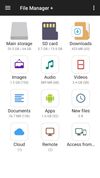
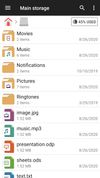
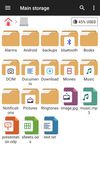
SanDisk Memory Zone is described as 'The SanDisk Memory Zone app makes it easier to manage and back up your Android powered device's memory. This versatile app lets you quickly copy your files to a memory card or to a variety of supported online storage services, freeing up your phone's internal memory' and is an app in the backup & sync category. There are more than 50 alternatives to SanDisk Memory Zone for a variety of platforms, including Android, Android Tablet, F-Droid, Windows and iPhone apps. The best SanDisk Memory Zone alternative is Total Commander, which is free. Other great apps like SanDisk Memory Zone are Files, Fossify File Manager, Directory Opus and Material Files.


Smart and free file manager for Android with perfect set of features. It provides quick and convenient access to your pictures, music, videos, documents and other files. You'll find that all operations on files become easy and more intuitive.


One of the best file manager for Android. All the files on your SD-card he categorizes that facilitates access to the desired content, without having to search for it on the folder manually. You can browse music files, videos, photos, documents, applications, as well as easy to...


OI File Manager allows you to browse your SD card, create directories, rename, copy, move, and delete files. It also acts as an extension to other applications to display "Open" and "Save" dialogs.


Open Explorer - Open source file manager for all devices! (Tablets, Phones, Google TVs, sandwiches!)


WinBrowser features a multi-column interface as used on the Macintosh resulting in the most elegant file manager available for Windows today.


The File Manager has been designed to give android users a free, unlimited and ad-free experience. File Manager categorizes files for you with its smart feature. Easily access photos, videos, music and other files on the phone.


HTC File Manager makes it easy to find, browse and organize files on your phone, SD card or USB storage. Heart items to add them to your favorites, search for files by name and select multiple files or folders to cut, copy, delete, rename or move.


Some phones, tablets and other devices don't have a file manager installed by default. There's usually a file manager available though: hidden away in the settings app. This shortcut app allows you to open that file manager with just one click from your app list.