


Salon Calendar
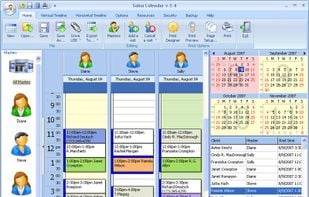
Salon Calendar is a modern and extremely easy-in-use software tool for schedule management in companies or for individual use. It offers a number of features for organizing efficient and handy working schedule for masters in hair salons, beauty.
Cost / License
- Pay once
- Proprietary
Platforms
- Windows

Features
Salon Calendar News & Activities
Recent activities
Salon Calendar information
Developed by
Salon CalendarLicensing
Proprietary and Commercial product.Pricing
One time purchase (perpetual license) that costs $49.Alternatives
1 alternatives listedSupported Languages
- English

What is Salon Calendar?
Organize, track, manage any information related to your home, business or organization. Salon Calendar is a software tool designed specially for hair salons, beauty, manicure or aesthetic shops, tanning salons, fitness studios, wedding salons, fashion shops and ateliers, beauty centers, plastic and cosmetic surgery clinics, manicurists, aestheticians, make-up designers and any other specialists in the sphere of fitness, health and beauty care. This modern and extremely handy program makes schedule management a real pleasure. It allows any specialist to create a profile to run a personal schedule.
The program enables users to switch between profiles to view the schedule of any staff member, it is also possible to view multiple profiles simultaneously or open the schedules of several specialists at the same time. Salon Calendar features Date Navigator, which enables user to open the required date, edit reception hours, master and client data. It is also possible to set different work ranges, choose vertical or horizontal timelines and 12 or 24 hours format. The program also has the Auto Backup feature that allows saving the data to the secured archive. What is important, the data from Salon Calendar can be exported to many different formats, like MS Outlook, XML, HTML, XLS and TXT. Exchanging data with other applications (Apple iCal, Microsoft Exchange Server, Android apps) is made easier with the new support for the iCal data format.
The program has a built-in Print Designer, which offers a variety of original templates and options to make a fine and clear printout of a schedule. Salon Calendar is available for all versions of Microsoft Windows.