


Rumble Studio
Rumble Studio is a multi-platform streaming studio. It offers co-host control, live question management, performance monitoring, clip exporting, stream redirect, multi-guest streaming, and 'Canvas' for visuals. Compatible with web, iOS, and Android.

Cost / License
- Free
- Proprietary
Platforms
- Online
- iPhone
- iPad
- Android
- Android Tablet

Features
Properties
- Lightweight
Features
- Multi-streaming
- RTMP Live Streaming
- Dark Mode
- Multiple Account support
Rumble Studio News & Activities
Recent activities
Rumble Studio information
Developed by
 Rumble
 Licensing
Proprietary and Free product.Alternatives
2 alternatives listedSupported Languages
- English


What is Rumble Studio?
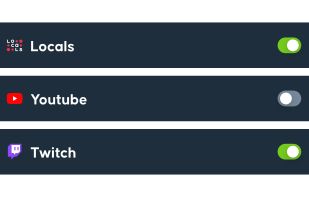
Rumble Studio is a versatile and comprehensive streaming platform that enables you to sign in and broadcast your content live to a variety of popular platforms, including Rumble, Locals, YouTube, Twitch, and Facebook. This flexibility allows you to reach a wide audience and expand your online presence.
The studio is accessible on a range of devices, including web, iOS, and Android platforms. This ensures that you can go live from anywhere, at any time, using your preferred device.
Rumble Studio offers a number of innovative features to enhance your streaming experience. For instance, the 'Join Forces' feature allows you to easily co-host your stream with friends or guests, making collaboration a breeze. The 'Canvas' feature provides you with the ability to add text, images, and other elements to your stream, giving you the freedom to customize your content and make it more engaging for your audience.
The platform also includes a 'Caller Queue' feature, which allows you to take live questions from your audience with minimal hassle. This is a great way to interact with your viewers and build a stronger community.
Rumble Studio also has a 'Performance Monitoring' feature, which will soon provide you with aggregated live chat, stats, and more. This feature will allow you to keep track of your stream's performance and make data-driven decisions to improve your content.
Additionally, the 'Clips' feature lets you export your favorite moments from your stream, allowing you to share your best content on other platforms or use it for promotional purposes. The 'Stream Redirect' feature allows you to easily inform your audience when it's time to move from one platform to another, ensuring a smooth transition for both you and your viewers.
Lastly, Rumble Studio supports up to 10 people in a single stream, making it a great option for panel discussions, interviews, or any other multi-guest streaming needs you might have.

