The Simple Way To Resize, Rename, Crop, Rotate And Watermark 100s or 1000s of your Images with a single "Drag-and-Drop" using presets.

Ralpha Image Resizer is described as 'Lightweight and portable program that can perform image operations in batch mode, such as resizing and applying filters' and is a Image Optimizer in the photos & graphics category. There are more than 50 alternatives to Ralpha Image Resizer for a variety of platforms, including Windows, Mac, Web-based, Linux and Android apps. The best Ralpha Image Resizer alternative is Image Toolbox, which is both free and Open Source. Other great apps like Ralpha Image Resizer are Caesium Image Compressor, ImageOptim, OptiImage and RIOT - Radical Image Optimization Tool.
The Simple Way To Resize, Rename, Crop, Rotate And Watermark 100s or 1000s of your Images with a single "Drag-and-Drop" using presets.

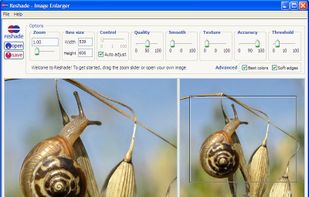
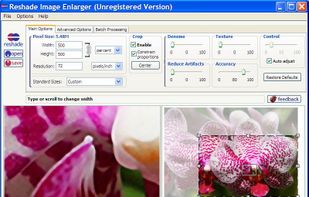
Reshade offers the highest quality photo enlargement available for your computer. Resize images without the usual blur, jagged edges, halos, loss of sharpness or detail associated with image enlargement.


Have any image that looks like Pixel art but is upscaled? Use this utility to perfectly scale it back down again without any issue.
Photo Resizer Expert - Versatile batch image resizer - Adjust, apply effects and filters to images - Watch folders - Resize image with right click in Windows Explorer.


A program to simple reduce and rotate images. This GTK application can be useful for processing digital photos before sending by e-mail or uploading on the web.


The Awesome Resizer is an application that allows quick dynamic resizing of any supported image and much much more (Filters, screenshot, etc). An ideal tool for webmasters or anyone with a web page.

Compress.Studio is a serverless image compression tool with decentralized storage. Open/Add any .jpeg, .jpg or .png image. By default, it compresses your image to the best size and quality. Select your preferred size to compress the image. Login with .

Dropresize is a portable application that can automatically resize images in folders specified by the user. It resides in the system tray so it won’t interfere with your work, however it’s readily available if you want to configure it.

Mini-Compressor is an easy to use image compression tool. Compress images by right clicking on the images or folder of images. A viable alternative to other photo editing software if all you need to do is quickly compress a image.


Resize photos in the batch and save photos to the following targets: Disk folder, FTP remote connection (web server for example), send photos via Email using email templates, upload to Facebook or save them to Clipboard.


PhotoPenguin is a completely free batch photo editor with support for cropping, resizing, adding watermarks, and converting photos to other formats.


Shrinks images and documents losslessly by optimizing existing compression. Run it comfortably in the background to save hard disk space and bandwidth.