


PruneMate
1 like
A sleek, lightweight web interface to automatically clean up Docker resources on a schedule. Built with Python (Flask), Docker SDK, APScheduler, Gunicorn.
Cost / License
- Free
- Open Source (AGPL-3.0)
 EU
EUPlatforms
- Self-Hosted
- Docker

PruneMate
1 like
Features
Properties
- Lightweight
- Privacy focused
Features
- Dark Mode
- No Tracking
- Ad-free
- Scheduling
- Real-time Statistics
- Docker Monitoring
Tags
- Scheduling Software
- statistics
- docker-management
PruneMate News & Activities
Highlights All activities
Recent activities
PruneMate information
Developed by
 anoniemerd
 Licensing
Open Source (AGPL-3.0) and Free product.Alternatives
0 alternatives listedSupported Languages
- English
AlternativeTo Categories
Development, Office & Productivity, OS & UtilitiesGitHub repository
- 427 Stars
- 17 Forks
- 6 Open Issues
- Updated
No comments or reviews, maybe you want to be first?
What is PruneMate?
A sleek, lightweight web interface to automatically clean up Docker resources on a schedule. Built with Python (Flask), Docker SDK, APScheduler, Gunicorn.
Keep your Docker host tidy with scheduled cleanup of unused images, containers, networks, and volumes.
Features:
- Flexible scheduling - Daily, Weekly, or Monthly cleanup runs
- Timezone aware - Configure your local timezone
- 12/24-hour time format - Choose your preferred time display
- Selective cleanup - Choose what to prune: containers, images, networks, volumes
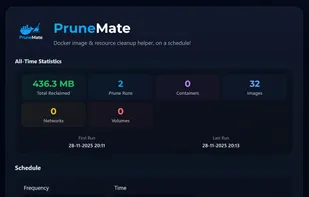
- All-Time Statistics - Track cumulative space reclaimed and resources deleted across all runs
- Smart notifications - Gotify or ntfy.sh support with optional change-only alerts
- Modern UI - Dark theme with smooth animations and responsive design
- Safe & controlled - Manual trigger option and detailed logging
- Detailed reports - See exactly what was cleaned and how much space was reclaimed