


ProShot
Feature packed camera app for full control.
Cost / License
- Pay once
- Proprietary
Application type
Platforms
- Android
- iPhone
- Android Tablet
- Windows Phone
- iPad

Features
- Dark Mode
- No registration required
- Ad-free
- Works Offline
- No Tracking
- RAW Capture
- Manual Shooting
ProShot News & Activities
Recent News
Recent activities
- robogena liked ProShot
- Pepexl updated ProShot
 Pepexl added ProShot as alternative to Secure Camera
- Pepexl reviewed ProShot
It does work on GrapheneOS. I wanted to have a professional photo app on the GOS and not just stock camera.
Fortunately, I purchased this app already before I got a GrapheneOS.
This app is the only app which gives me the freedom to rename files, add position tags and much more. And there are no trackers included. But this app does not need any internet connection anyway.
- Pepexl liked ProShot

ProShot information
Developed by
 Rise Up Games
 Licensing
Proprietary and Commercial product.Pricing
One time purchase (perpetual license) that costs $9.Alternatives
10 alternatives listedSupported Languages
- English
- French
- Japanese
- Korean
- Russian
- Chinese
- Turkish


What is ProShot?
Privacy Built-In In a world where everyone wants to harvest your data, ProShot doesn’t, because that’s the way it should be. No personal data is stored, collected or transmitted, so you can rest assured that your images, videos and data are safe.
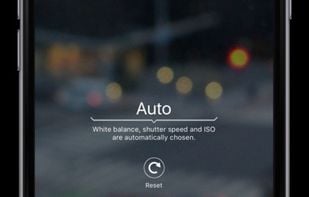
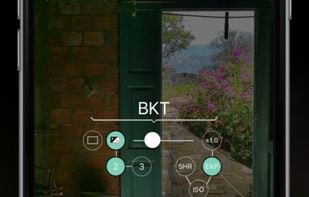
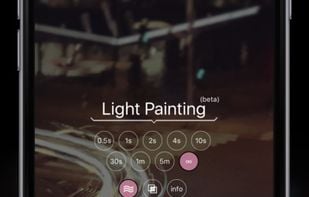
• Auto, Program, Manual, and two Custom modes, just like a DSLR • Shutter priority, ISO priority, Automatic, and Full Manual control • Adjust exposure, flash, focus, ISO, shutter speed, white balance and more • Shoot in RAW (DNG), JPEG or RAW+JPEG • HEIC support on compatible devices • Support for Vendor Extensions including Bokeh, HDR and more • Light Painting with special modes for capturing water and star trails • Bulb mode integrated into Light Painting • Timelapse (intervalometer and video), with full camera control • 4:3, 16:9, and 1:1 standard aspect ratio for photo • Custom aspect ratios (21:9, 5:4, anything is possible) • Zero-lag bracket exposure up to ±3 • Manual focus assist and focus peaking with customizable color • Histogram with 3 modes • Zoom up to 10X using just one finger • Customizable accent color to fit your style • Camera roll seamlessly integrated into the viewfinder • Adjust JPEG quality, Noise Reduction quality, and storage location • Shortcuts for GPS, screen brightness, camera shutter, and more
Video Features • All camera controls available in Photo mode are also available in Video mode • Up to 8K video with extreme bitrate options • Support for “beyond 4K” on compatible devices • Adjustable frame rate from 24 FPS up to 240 FPS • LOG and FLAT color profiles for increased dynamic range • Support for H.264 and H.265 • Up to 4K Timelapse • Industry-standard options for 180 degree rule • Support for external microphones • Monitor audio levels and video file size in real-time • Pause / resume recording • Support for simultaneous audio playback (like Spotify) while recording • Video light
Time to leave the heavy DSLR at home, ProShot's got your back.


Comments and Reviews
It does work on GrapheneOS. I wanted to have a professional photo app on the GOS and not just stock camera.
Fortunately, I purchased this app already before I got a GrapheneOS.
This app is the only app which gives me the freedom to rename files, add position tags and much more. And there are no trackers included. But this app does not need any internet connection anyway.