



Presenting
Like
A desktop app that helps you animate your screen recordings and easily create engaging animated software presentations.
Cost / License
- Pay once
- Proprietary
Platforms
- Mac

Presenting
Like
Features
- Support for 4K
- Screen Recording
Presenting News & Activities
Highlights All activities
Recent activities
No activities found.
Presenting information
Developed by
 BETTERWEBPAGES
 Licensing
Proprietary and Commercial product.Pricing
One time purchase (perpetual license) that costs $20.Alternatives
0 alternatives listedSupported Languages
- English
No comments or reviews, maybe you want to be first?
What is Presenting?
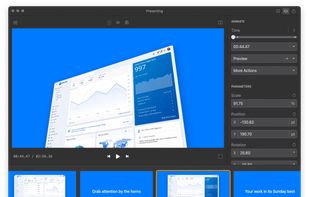
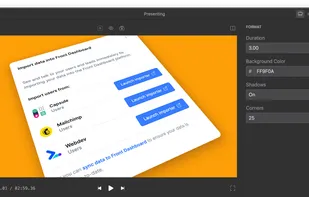
Animate your screen recordings. Quickly and easily create slick presentations to captivate your audience and boost results.
Have your work dressed in its Sunday best to grab your audience's attention by the horns, and never see eyes glazing over during your presentation ever again.
- Presentation mode. Animate in steps alongside your presentation.
- Video export. Reach and engage audiences anywhere in a portable format.
- Cinematic immersion. Export videos in up to 60 FPS, and 4K resolution.
- Boost your presentations. For portfolios, product videos, tutorials & sales pitches.
- For you. Made for designers, app makers, marketers, product managers & agencies.
- Private and secure. Being document-based means your work stays offline.
Whether you're a solo freelancer or from a large enterprise, Presenting can help you level up your presentations in no time at all — no experience required.
- Simple and easy. Creating an animation is as easy as click and drag.
- Multiple input types. Throw in video, images, or even text.
- No experience needed. Simple controls make it easy to get going.
- Free to try. Get started at no cost with the seven day free trial.
- Budget friendly. Affordable one-time purchase, upgrading is optional.
- Zero risk. No questions asked refunds within seven days of purchase.