


Pixera
Pixera transforms ordinary screenshots into beautifully framed, share-ready visuals. Automatically!
Cost / License
- Freemium (Pay once)
- Proprietary
Platforms
- Mac

Pixera
Features
Properties
- Privacy focused
- Lightweight
Features
- Works Offline
- No Tracking
- Built-in Color Picker
- Portable
- Non Destructive Editing
- No registration required
- Hardware Accelerated
- Live Preview
- Ad-free
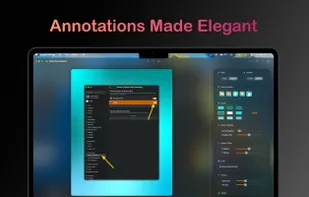
- Annotate Screenshot
- No Coding Required
- Full-page Screenshot
- Dark Mode
- Color Picker
Tags
- custom-screenshots
- macos-utility
- design-tools
Pixera News & Activities
Recent activities
Pixera information
What is Pixera?
Pixera transforms ordinary screenshots into beautifully framed, share-ready visuals. Automatically!
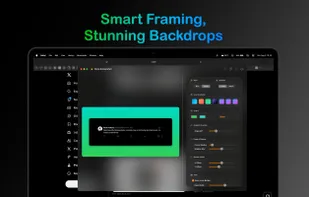
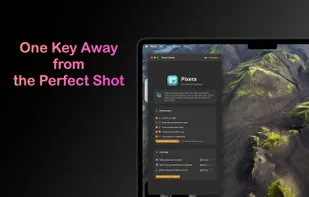
With a single shortcut, Pixera opens an elegant editor where your screenshot is enhanced with subtle gradients, clean framing, and smart defaults. Whether you’re capturing a tweet, a piece of code, or part of your UI, Pixera makes it presentation-ready in seconds.
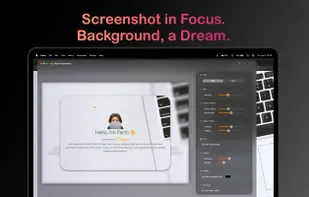
Powerful, Effortless Screenshot Styling • Take screenshots instantly using your custom hotkeys • Automatically apply a visually pleasing background • Choose from multiple background styles: • Blurred version of your screenshot • Mesh gradient • Linear gradient • Customize the look with corner radius, and shadows • Auto colored insets • Control shadow direction, background size, and spacing • Export crisp, styled images without any manual setup
Upgrade to unlock a full suite of customization and privacy tools: • Save your favorite gradient sets and reuse them anytime • Automatically apply colored insets based on your screenshot content • Customize the gradient direction (horizontal, vertical, diagonal, and more) • Auto-detect and redact sensitive data like emails, API keys, and credit card numbers • Remove the Pixera watermark for a clean professional finish
Pixera is built for people who care about how their screenshots look: • Developers sharing app interfaces or snippets • Designers showcasing their work • Marketers presenting social content • Anyone who wants screenshots that look as good as the work they capture
No more dragging images into design tools just to make them look decent. Pixera gives you professional results, instantly. macOS-Optimized for Speed and Control • Works perfectly with macOS shortcut keys • Lightweight, responsive editor • Real-time preview of your changes • Designed to fit your workflow
Create stunning screenshots with zero effort. Fast. Beautiful. Private. Pixera makes every snap shine.
