


Pcaller - Private Call Dialer
Want to hide your number and make calls anonymously? Take full control over when and how you want to maintain your privacy.
Cost / License
- Freemium (Pay once or Subscription)
- Proprietary
Platforms
- iPhone
- iPad

Pcaller - Private Call Dialer
Features
- Phone dialer
- Phone calls
Tags
- phone-number
- iphone-apps
- private-call
- dialer
- ios-apps
- Anonymity
- hidden-number
Pcaller - Private Call Dialer News & Activities
Recent activities
- devapp555 added Pcaller - Private Call Dialer
Pcaller - Private Call Dialer information
What is Pcaller - Private Call Dialer?
Want to call anonymously and keep your number hidden? Look no further! Pcaller is here to help you hide your caller id effortlessly. With our powerful, user-friendly app, you can now make anonymous calls without exposing your number. Say goodbye to worrying about how to block your number and hello to complete privacy with every call.
Key Features:
Private Calling Made Easy: Pcaller empowers you to effortlessly dial as a private caller, shielding your number from prying eyes. Choose between default options like #31# or customize your own prefix for added flexibility. Now you can easily learn how to call anonymously and maintain your privacy with no hassle.
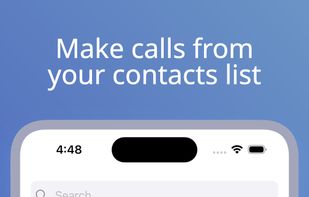
Quick Dialing: With Pcaller, you can swiftly make calls either by manually dialing the number or conveniently selecting contacts from your address book. The choice is yours—call openly or anonymously. No more stress about how to block caller id—Pcaller takes care of that for you.
Total Number Control: Change your prefix on-the-fly to seamlessly hide your number whenever you want. Take charge of your privacy like never before. You'll never need to worry about how to do no caller id again.
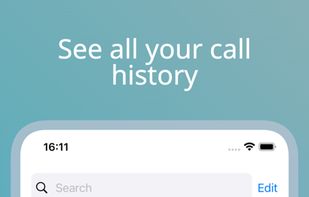
Call History Management: Pcaller doesn't just stop at private calls—it also manages your call history. You decide which calls get saved within the app, giving you complete control over your communication records. Forget about manual adjustments, how to hide caller id—Pcaller automates everything.
Streamlined Experience: Tired of navigating phone settings each time you need to make a private call? Pcaller eliminates that hassle. No more copying and pasting numbers with prefixes—our app handles it for you, making it effortless to block private calls.
Efficiency at its Best: Dialing as a private number has never been this efficient. Pcaller ensures that your privacy is just a tap away, saving you time and effort. You'll never need to worry about block my number again.
Get ready to dial as a private number effortlessly with Pcaller - your best app for private calling. Download Pcaller now and take control of your privacy with just a tap.
The app allows anonymous calls with a hidden prefix before dialing. Various mobile providers have different prefixes. Check with your cellular carrier for the private dialing prefix. Additional charges may apply, confirm with your carrier.
For iPad users: iPads cannot make calls directly. Calls work only if an iPhone is linked, and some features may not be available. Use your phone for full functionality.
