


Paste As File
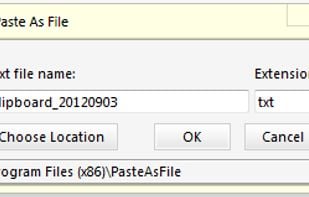
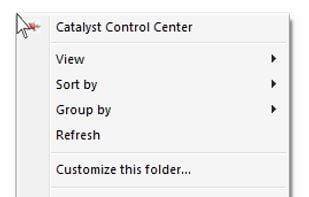
Adds a context menu in Windows File Explorer "paste as file", allowing to paste the clipboard content as file. Depending on clipboard content it pastes as jpg, png, txt or html. Initially was free, now it says 15 days trial.
Cost / License
- Paid
- Proprietary
Alerts
- Discontinued
Platforms
- Windows
The website is unavailable.

Features
- Context Menu extension
Tags
Paste As File News & Activities
Recent activities
Paste As File information
Developed by
VDSFreakLicensing
Proprietary and Commercial product.Alternatives
4 alternatives listedSupported Languages
- English


What is Paste As File?
Paste As File is an app to paste the contents of the clipboard to a new file in the current folder via the context menu windows explorer background. It can paste as a text file, RTF file, PDF file, or image file based on the contents of the clipboard. Supported image formats are jpg, pcx, png, bmp, tga, gif, tif and PDF. NEW in v5 you can paste FILES copied to the clipboard to ZIP or 7z archives, list the files to a TEXT file with details and copy the files to a sub folder. See help file for details.
You can paste as any plain text file just by changing the extension. If you want to paste to a HTML file, just change the extension to HTML. Use it for HTML, PHP, CSS etc.
Official Links
There are no links for this app, or they've been disabled.
Comments and Reviews
Why does it say "virus detected?" - downloading version pafsetup5003.exe.
PasteAsFile is very much available and available on the official website.