


Panel Tabs
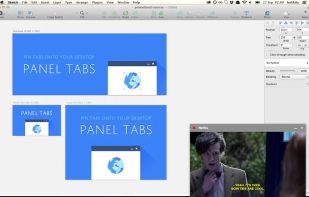
Open tabs in floating or docked panels outside of Chrome. Like your TV’s picture in picture mode, but for websites! Open sourced.
Cost / License
- Free
- Open Source
 EU
EUAlerts
- Discontinued
Platforms
- Mac
- Windows
- Chrome OS
The development has been stopped by the author in September 2016: https://lnikki.la/articles/farewell-panel-tabs/

Features
- Picture in Picture
Tags
- videos
- panel
- Tabs
- Google Chrome Extension
Panel Tabs News & Activities
Recent activities
Panel Tabs information
Developed by
 Leo Nikkilä
 Licensing
Open Source and Free product.Alternatives
6 alternatives listedSupported Languages
- English


What is Panel Tabs?
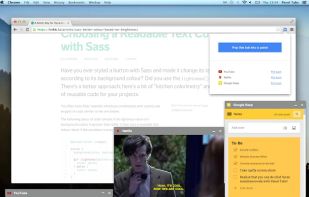
Open tabs in floating or docked panels outside of Chrome. Like your TV’s picture in picture mode, but for websites! Open sourced. Open any tab outside of Chrome itself, docked to the lower right hand side of your screen.
Drag the panel to float it and move it somewhere else, or click the minimise button to hide it for a while.
So what can you use panels for? Here are some good ideas:
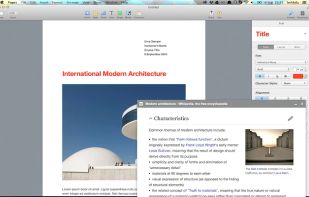
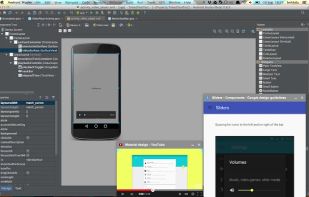
– Watch Netflix in picture-in-picture (PiP) mode while doing other stuff – Use WhatsApp Web quickly on the desktop – Research things online while writing a document – Read documentation while coding
Did you invent a sweet new use case? Tweet it to me @lnikkila!
The code is open sourced under the MIT licence. Translations are welcome too.
Contact me: https://twitter.com/lnikkila
Project on GitHub: https://github.com/lnikkila/chrome-panel-tabs
Report a bug: https://github.com/lnikkila/chrome-panel-tabs/issues
Overview of permissions: https://github.com/lnikkila/chrome-panel-tabs/wiki/Permissions