


OpenShot
Open-source, cross-platform video editor with unlimited tracks, simple interface, 3D animated titles, video and audio effects, waveform visualization, trim tools, keyframe animations, drag and drop import, multi-language support, and no export watermarks.


Features
Properties
- Lightweight
- Privacy focused
Features
- No Watermark
- Ad-free
- 3D animated titles
- Chroma Key / Green Screen
- Dark Mode
 Blender Integration
- 32-bit support
- Photo effects
- Layer Movement
- Edit screenshots
- Non Destructive Editing
- Geometry editing
- Non linear editor
- Track multiple packages
- Fast motion
OpenShot News & Activities
Recent News
- POX published news article about OpenShot
 OpenShot 3.5 brings faster timeline, improved GPU acceleration, smarter effects, and more
OpenShot 3.5 has been released as the latest version of this powerful, cross-platform, open source ...
- POX published news article about OpenShot
 OpenShot 3.4 boosts performance by 32%, adds new effects, and improves editing tools
OpenShot 3.4 arrives as one of the video editor's largest updates to date, introducing a 32% speed ...
- POX published news article about OpenShot
 OpenShot 3.3 brings new default theme, enhanced ripple editing, & improved Wayland support
OpenShot has released version 3.3 of its free and open-source video editing software, introducing a...


Recent activities
 madfable added OpenShot as alternative to MadSync - AI Video Editor
- brodertotte88 liked OpenShot
 Alaik added OpenShot as alternative to Cardboard Video Editor
- jd44 liked OpenShot





Featured in Lists

This is the apps for Windows 11 that I would recommend to anyone who just got a PC ! The same list for

This is going to be a list of the free tools/software that can be used mostly in any field. it's based on websites …

## THIS LIST HAS BEEN DELETED DUE TO A BUG, SO IT MISSES SOME HONORABLE MENTIONS ! I've been using Linux for a …
What is OpenShot?
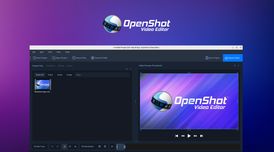
OpenShot is a free and open-source video editor for Windows, macOS, Linux, and Chrome OS, designed to be easy to use and quick to learn.
Features
Cross-Platform OpenShot is a cross-platform video editor, with support for Linux, Mac, and Windows. Get started and download our installer today.
Trim & Slice Quickly trim down your videos, and find those perfect moments. OpenShot has many easy ways to cut your video.
Animation & Keyframes Using our powerful animation framework, you can fade, slide, bounce, and animate anything in your video project.
Unlimited Tracks Add as many layers as you need for watermarks, background videos, audio tracks, and more.
Video Effects Using our video effects engine, remove the background from your video, invert the colors, adjust brightness, and more.
Audio Waveforms Visualize your audio files as waveforms, and even output the waveforms as part of your video.
Title Editor Adding titles to your video has never been easier. Use one of our templates, or make your own.
3D Animations Render beautiful 3D animated titles and effects, such as snow, lens flares, or flying text.
Slow Motion & Time Effects Control the power of time, reversing, slowing down, and speeding up video. Use a preset or animate the playback speed and direction.
Edit Video Drag and drop video, audio, or images from your file manager into OpenShot. It's that easy to get started video editing.
70+ Languages OpenShot is available in many different languages, and can be translated online with LaunchPad.
Simple User Interface We have designed OpenShot to be the easiest and friendliest video editing software ever! Give it a try and see for yourself.
OpenShot Videos
OpenShot information
Developed by
 Jonathan Thomas
 Licensing
Open Source and Free product.Written in
Rating
Average rating of 2.7Alternatives
139 alternatives listedNews
5 news article related to OpenShotSupported Languages
- English

AlternativeTo Categories
Photos & Graphics, Video & MoviesGitHub repository
- 5,606 Stars
- 680 Forks
- 362 Open Issues
- Updated


Comments and Reviews
Works fine. Crashes often and has low performance on Windows, but is fine in Linux.
Looks like it has great potential, but kept crashing in my Quad-Core Windows 10 machine.
On my PC (Windows 10 Pro, core i7 4770k, 16 GB) with the latest OpenShot (2.5.1), a simple click on "Préférences" in the menu, just after starting the software and closing immediately the box of tutorial leads to a crash... Worst than Avidemux!
OpenShot Video Editor is really good and simple, smooth, and powerful for free software. I love that it’s open source, easy to use, and perfect for quick edits or creative projects.
I just needed a simple editor for my basic needs. This is The one!! I've been looking forever and have used several, "Simple editors." I just needed to cut the fat out of a drum video. I'm beyond a newbie. This is quick, Very easy to use with no experience made a great vid!
I started a YouTube channel 1 year ago. For the first 6 months I used YouTube Creator Studio, but decided to try something else. OpenShot was the first software I tested and have been using it now for 6 months. I'm running Linux Mint 22.
OpenShot isn't without problems, I have the System Package installed but I also use the AppImage. In both instances there are odd behaviors, but i have learned to work around them and they do not interfere.
My experience is all self-taught from reading online and some video tutorials. With that I have steadily increased my production complexity. I'm happy to use OpenShot and will promote it. That being said I am also experimenting with ShotCut now, to see if I'm missing out on something better.
The fact that I can have something as good as OpenShot, running on Linux, and for zero cost is amazing. Sometimes it's hard to believe this is so easily accessible and works so well. Congrats to the team who develops OpenShot.
The new themes undoubtedly make the app more beautiful and intuitive, but unfortunately many features leave something to be desired. The side control panel in (professional mode) is simply not efficient, and shows various bugs such as the disappearance of materials from the timeline. I think it would be interesting for OpenShot to follow the same editing and customization model as Clipchamp, as it would work much better.
I don’t know about Windows, but recently (2024) it works well on Linux. Very easy tool for beginners.