Cost / License
- Free Personal
- Proprietary
Application types
Platforms
- Android
- iPhone
- Android Tablet
- iPad

- Online


OpenScan is described as 'Open source app that enables users to scan hardcopies of documents or notes and convert it to PDF or JPEG files. Its motto is "No ads. No data collection. We respect your privacy."' and is a Image Scanner in the office & productivity category. There are more than 100 alternatives to OpenScan for a variety of platforms, including Android, iPhone, Windows, iPad and Android Tablet apps. The best OpenScan alternative is NAPS2, which is both free and Open Source. Other great apps like OpenScan are FairScan, OSS Document Scanner, Tesseract and GImageReader.


NewOCR.com is a free online OCR (Optical Character Recognition) service, can analyze the text in any image file that you upload, and then convert the text from the image into text that you can easily edit on your computer..

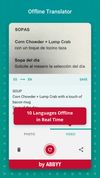
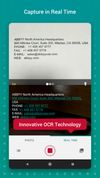
ABBYY FineScanner is a mobile scanner that allows you to quickly create digital copies of documents that contain images and text, including contracts, articles, instructions and leaflets by using your device’s camera.


Free-OCR.com is a free online OCR (Optical Character Recognition) tool. You can use this service to extract text from any image you supply.

WatchOCR is an open source OCR server that creates searchable pdfs from images in a watched folder.

Free OCR to Word is text recognition software that performs all your tedious retyping and recreating work at lightning speed into Word documents you can edit on your PC or archive in a document repository.

You can use Easy Screen OCR to capture a snapshot and start OCR process. this program will detect the text from the image and start OCR process immediately. You can extract the text to copy and paste in seconds.


JotNot Scanner uses the phone's camera to scan documents and pictures into electronic PDF files that can be saved on the phone. The application also processes the images to make them clearer.


Screen OCR is a screen capture and character recognition tool. You can use Screen OCR in any way you are most comfortable with. It can be window selection, scrolling capture, simple cursor capture or rectangular selection.


The swiss knife for your daily use, this website was developed to deliver one source for the most used tools and data conversions.

Boxoft Screen OCR is fast and easy-to-use software which helps to extract any area on your screen, recognize every character and then save as TXT file. Price: 27 USD. The smart tool enables you to select text from anywhere on the screen, including areas that you cannot highlight...

PDF OCR is a software that converts scanned PDF documents into editable text files in just two clicks. Its OCR engine operates 92% faster than other software, giving users the option to select specific pages for OCR.