

OneTrainer
OneTrainer is a one-stop solution for all your stable diffusion training needs.
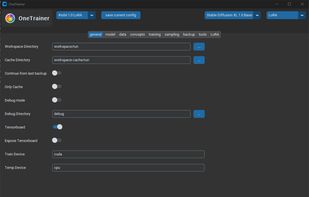
Cost / License
- Free
- Open Source (AGPL-3.0)
Platforms
- Mac
- Windows
- Linux
OneTrainer
Features
OneTrainer News & Activities
Recent activities
- eliasbuenosdias liked OneTrainer
- eliasbuenosdias added OneTrainer
- POX updated OneTrainer
OneTrainer information
Developed by
NerogarLicensing
Open Source (AGPL-3.0) and Free product.Written in
Alternatives
0 alternatives listedSupported Languages
- English

What is OneTrainer?
OneTrainer is a one-stop solution for all your stable diffusion training needs. Supported models: FLUX.1, Stable Diffusion 1.5, 2.0, 2.1, 3.0, 3.5, SDXL, Würstchen-v2, Stable Cascade, PixArt-Alpha, PixArt-Sigma, Sana, Hunyuan Video and inpainting models Model formats: diffusers and ckpt models Training methods: Full fine-tuning, LoRA, embeddings Masked Training: Let the training focus on just certain parts of the samples Automatic backups: Fully back up your training progress regularly during training. This includes all information to seamlessly continue training Image augmentation: Apply random transforms such as rotation, brightness, contrast or saturation to each image sample to quickly create a more diverse dataset Tensorboard: A simple tensorboard integration to track the training progress Multiple prompts per image: Train the model on multiple different prompts per image sample Noise Scheduler Rescaling: From the paper Common Diffusion Noise Schedules and Sample Steps are Flawed EMA: Train your own EMA model. Optionally keep EMA weights in CPU memory to reduce VRAM usage Aspect Ratio Bucketing: Automatically train on multiple aspect ratios at a time. Just select the target resolutions, buckets are created automatically Multi Resolution Training: Train multiple resolutions at the same time Dataset Tooling: Automatically caption your dataset using BLIP, BLIP2 and WD-1.4, or create masks for masked training using ClipSeg or Rembg Model Tooling: Convert between different model formats from a simple UI Sampling UI: Sample the model during training without switching to a different application