


Note Recorder
Note Recorder app is a powerful, high quality MPEG4 audio recorder which allows you to create recordings of any length (limited by the free space on your hard drive) using the built-in microphone, your headset or any external microphone.
Cost / License
- Pay once
- Proprietary
Platforms
- Mac

Features
- Memos
- Audio Recording
- Voice Notes
Tags
- voice-recorder
Note Recorder News & Activities
Recent activities
Note Recorder information
Developed by
iTeamDeveloperLicensing
Proprietary and Commercial product.Pricing
One time purchase (perpetual license) that costs $2.Alternatives
1 alternatives listedSupported Languages
- English

What is Note Recorder?
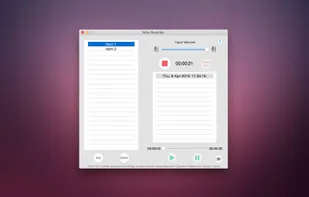
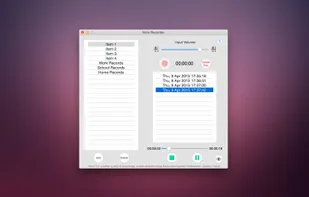
Note Recorder app is a powerful, high quality MPEG4 audio recorder which allows you to create recordings of any length (limited by the free space on your hard drive) using the built-in microphone, your headset or any external microphone. It's perfect for Lectures, Meetings, Conferences, Interviews, Brainstorming, Quick notes, To-Do Lists, Courses, and more. With just a click on the eye button your selected record will show in Finder and you can send the notes to other people using email, dropbox, and any Social Networks. This is the quickest and most effective notes app available! Great for School/College, Work and Daily Life! Integrated flexible categorization will help you find the necessary recordings in no time. Support for playback!
Features
- High quality recordings
- Access recordings in Finder
- Add/Remove sections and records
- Unlimited recording time
- Background recording (You can open other applications while recording)
- Send recordings using email, dropbox or any Social Networks through Finder
- Clean and friendly user interface
- Quick and simple to use
- Supports Built-In Microphone or any External Microphone
- Keyboard support for a most effective usability
- Play/Pause or Stop Playback control
- Rewind/Forward Playback control
- Save recording to MPEG4 audio
- Compatible also with iTunes, QuickTime Player and other
- Output format is compatible with iPhone, iPad, iPods and other audio device
- Sleep Mode Recording
