


Nima
Build, rig, and animate 2D characters optimized for game engines and applications.
Cost / License
- Freemium (Subscription)
- Proprietary
Alerts
- Discontinued
Platforms
- Online
The website is unavailable.

Features
Tags
- 2D Animation
- 2d-engine
- 2d-cad
Nima News & Activities
Recent activities
Nima information
Developed by
 2D Inc.
 Licensing
Proprietary and Freemium product.Pricing
Subscription that costs up to $21 per month + free version with limited functionality.Alternatives
6 alternatives listedSupported Languages
- English



What is Nima?
Skeletal Animation
At the heart of Nima is a powerful 2D skeletal animation system. Characters are built using a single set of images and animated using bones. These animations are interpolated and blended together, which keeps your file size small and playback buttery smooth. Because everything runs in real time, you can dynamically manipulate all of this with code.
Meshes and Vertex Deformations
Meshes are a simple yet powerful way to add natural and organic deformations to your characters. Make skin flex, fabric ripple, hair flow, and more. Connect meshes to bones to make them automatically deform with the movement of your skeleton, or animate vertices manually for total control over your deformations.
Inverse Kinematics
Inverse Kinematics allow you to create complex poses and animations without having to manipulate a lot of bones individually. For example, the feet of this bird are constrained to IK targets. To make the bird jump, we simply animate one root bone. The feet and legs automatically align with the targets and the knees automatically bend. Without IK, animating this would require a lot of keyframes, and it would be impossible to achieve at runtime.
Image Swapping
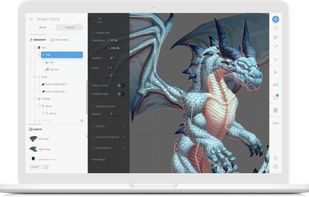
Nima’s image sequences and the Solo object allow you to quickly swap images to achieve frame-by-frame effects, such as the fire and smoke coming out of this dragon’s mouth. Combine image swapping with bones and meshes to achieve even more dynamic animations, such as this dragon’s flapping wings.
The free plan gives you access to the complete suite, yet your work is public. A monthly subscription is required to keep your work private.
Official Links
There are no links for this app, or they've been disabled.