


MQTTX
2 likes
A Powerful and All-in-One MQTT 5.0 client toolbox for Desktop, CLI and WebSocket.
Cost / License
- Freemium (Subscription)
- Open Source (Apache-2.0)
Platforms
- Mac
- Windows
- Linux
- Online
- Self-Hosted
- Software as a Service (SaaS)
- Docker

MQTTX News & Activities
Highlights All activities
Recent activities

MQTTX information
Developed by
 EMQ Technologies Inc.
 Licensing
Open Source (Apache-2.0) and Freemium product.Pricing
Subscription ranging between $1 and $100 per month + free version with limited functionality.Written in
Alternatives
7 alternatives listedSupported Languages
- English


No comments or reviews, maybe you want to be first?
What is MQTTX?
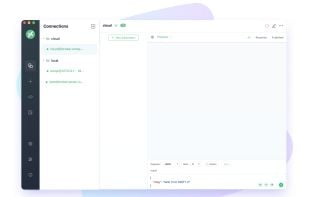
MQTTX makes developing and testing MQTT applications faster and easier.
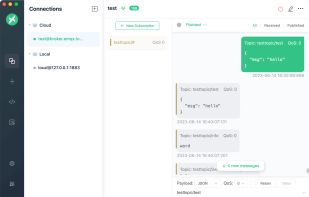
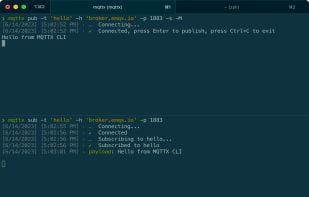
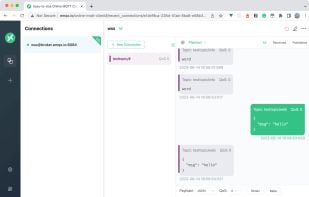
- All-in-One: Offers three convenient versions - Desktop, CLI, and Web - designed to adapt to your preferred work environment, with cross-platform compatibility (macOS, Linux, Windows).
- Rich Developer Features: Beyond basic MQTT operations, MQTTX comes ready with features such as Scripts, Benchmarks, IoT Data Simulation the AI-powered MQTTX Copilot, providing a comprehensive MQTT solution.
- MQTT Compatibility: MQTTX is 100% compliant with MQTT 5.0, 3.1.1, and 3.1. We consistently keep up with the latest MQTT standards, ensuring testing features fully meet and comply with the protocol's requirements.
Discover how MQTTX simplifies the journey— from connecting with an MQTT broker to publishing and subscribing to topics. Whether you're on a Desktop, CLI, or Web, MQTTX streamlines every step.
- Connect: Quickly connect to your MQTT broker with MQTTX. Simply set up your connection details and get connected, whether you're using a GUI or a command line.
- Publish: Easily publish messages in various formats like JSON, Base64, and Hex with MQTTX. Whether you are on GUI or command line, MQTTX adapts to your workflow.
- Subscribe: Effortlessly subscribe to multiple topics with MQTTX. Enjoy the convenience of color-coded topics in the GUI for easy identification and management.
Quickly deploy EMQX anywhere on-premises or in private, hybrid, and public clouds.