


Lorem Ipsum
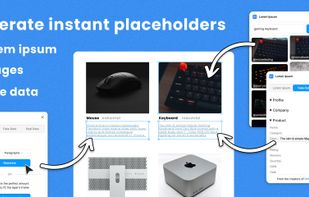
Generate ‘Lorem Ipsum’ to fill your text layers with dummy text in a single click. Choose between ‘Auto-generate’ or a specific text length.
Cost / License
- Free
- Proprietary
Platforms
- Figma
- Online

Features
- Generate Lorem Ipsum
- Figma plugin
 Figma Integration
Lorem Ipsum News & Activities
Recent activities
Lorem Ipsum information
Developed by
‹div›RIOTSLicensing
Proprietary and Free product.Alternatives
15 alternatives listedSupported Languages
- English


What is Lorem Ipsum?
Fill your designs with placeholders in a click: text, images and even data!
- Generate ‘Lorem ipsum’ to fill your text layers,
- Fill any shape with the perfect image from the Unsplash archives,
- Populate designs with fake data, such as profiles or company info.
Auto-generate
‘Auto-generate’ will automatically fill the selected layers with the perfect amount of ‘Lorem ipsum’ to fit their existing frame.
Fill any shape with an image
Search the Unsplash archives and choose from thousands of images that you can apply to any shape or fill.
Use fake data for more realistic designs
You can now also populate your text (and image) layers with fake data. Simulate a personal profile… Replicate an e-commerce site… Take your placeholders to the next level!
Want to use real data in your designs?
Try our plugin  data.to.design to set up powerful mappings and apply your own data to Figma designs.
Quick actions
There’s support for Figma’s Quick Actions — quickly generate text without needing to open the plugin window… use ? + / (mac)or ctrl + / (windows) to bring up the actions bar, type “Lorem ipsum” and then press ‘tab’ to progress to pick the type and count of text to generate.