


Logitech Touch Mouse Server
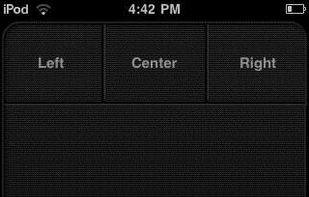
Touch Mouse by Logitech turns your iPhone or iPod touch into a wireless trackpad and keyboard for your computer.
Cost / License
- Free
- Proprietary
Alerts
- Discontinued
Platforms
- Mac
- Windows
- iPhone
- iPad
Product ceased development in 2009 and doesn't work beyond Windows 7.

Features
Tags
- keyboard-replacement
- mouse-replacement
- remote-control
- mouse-scrolling
- Mouse Emulation
- remote-control-via-iphone
- keyboard-emulation
Logitech Touch Mouse Server News & Activities
Recent activities
Logitech Touch Mouse Server information
Developed by
 Logitech
 Licensing
Proprietary and Free product.Alternatives
15 alternatives listedSupported Languages
- English
AlternativeTo Category
OS & Utilities


What is Logitech Touch Mouse Server?
Touch Mouse by Logitech turns your iPhone or iPod touch into a wireless trackpad and keyboard for your computer.
Do you connect your computer to your TV? Touch Mouse is the perfect solution for when you want to stay in control from the comfort of your couch. Point, click, scroll and type in any application—on a Mac or a PC.
Touch Mouse works over Wi-Fi, so you can use it anywhere in the house. And to make typing easier, text is displayed on the screen of your iPhone or iPod touch as you type, so you can see what you’re doing without having to continually look up and down.
FEATURES
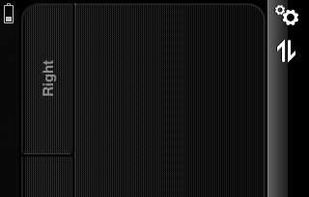
- Multi-touch trackpad with option for two or three buttons
- Two-finger scrolling
- Keyboard with modifier keys
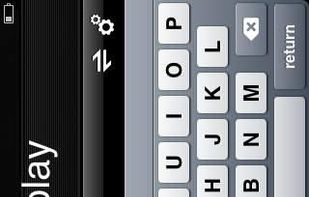
- On-screen text display while typing
- Show or hide the keyboard at any time
- Trackpad and keyboard are available in landscape and portrait modes
IMPORTANT
To make Touch Mouse work, you will need to download the Touch Mouse Server software from www.logitech.com/touchmouse and install it on your Mac or PC. This software enables the Touch Mouse app on your iPhone or iPod touch to find your computer and communicate with it.
SYSTEM REQUIREMENTS
- Mac with OS X 10.5 or higher
- PC with Windows XP, Windows Vista, or Windows 7
- Computer and iPhone or iPod touch must be connected to the same Wi-Fi network
- Touch Mouse Server software must be installed and running on the computer you want to control
