


Koma-Mail
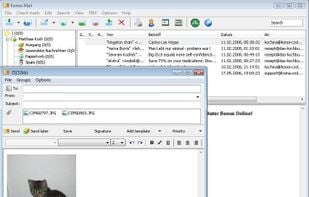
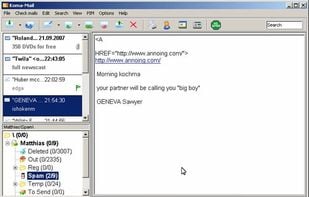
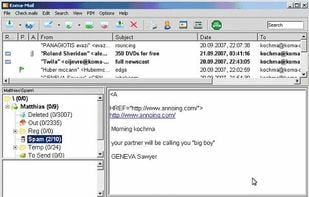
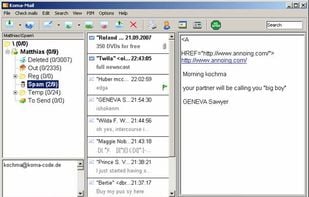
Koma-Mail is an email client which is comfortable and has very handy functions. It does not need an installation, so that you can run Koma-Mail from your flash drive but, of course, also on your desktop.
Cost / License
- Free
- Proprietary
Application types
 EU
EUAlerts
- Discontinued
Platforms
- Windows
Development of KOMA Code apps stopped in January 2017. Last version of Koma-Mail, 3.83, released in March 2012, can be still downloaded from the official website.

Features
- Multiple Account support
- Spam Filter
- Portable
- Built-in RSS reader
- IMAP Support
- Support for Unicode
- Multiple languages
- POP3 Support
Koma-Mail News & Activities
Recent activities


Koma-Mail information
Developed by
 Koma Code
 Licensing
Proprietary and Free product.Alternatives
67 alternatives listedSupported Languages
- English
AlternativeTo Category
Office & Productivity


What is Koma-Mail?
Koma-Mail is an email client which is comfortable and has very handy functions. It does not need an installation, so that you can run Koma-Mail from your flash drive but, of course, also on your desktop.
For safety reasons Koma-Mail blocks scripts and ActiveX in your mails. You can also encrypt your user account. To be protected against webbugs you can use Koma-Mail in the offline mode.
Koma-Mail offers two different spam filters: one is word based and the other one is a Bayesian. To prevent false negative detections Koma-Mail uses a white list.
With Koma-Mail you can send and receive mails, encrypted via SSL, through POP3, IMAP (including synchronization), SMTP and WebDav. To stay informed you can use the integrated RSS viewer.
Altogether Koma-Mail is a good alternative to shareware mail clients.
Features:
- POP3, IMAP, SMTP, WebDav
- SSL and APOP support
- RSS viewer
- Calendar
- Contact management
- Displays HTML Mails
- HTML-Editor for composing
- Sends and receives mail with inline images
- Zips attachments automatically
- Mails can be marked with colors
- Free folder structure
- Automatically cleans folders
- Template module
- Several user accounts
- Several mail accounts per user account
- Encrypts user accounts
- Spam filter (including Bayesian)
- Filter module
- Unicode support
- Available in 20 languages
Catalan, Czech, Danish, English, Finnish, French, Galego, German, Greek, Hungarian, Italian, Japanese, Nederlands, Polish, Portuguese, Romanian, Russian, Spanish, Turkish, Ukrainian