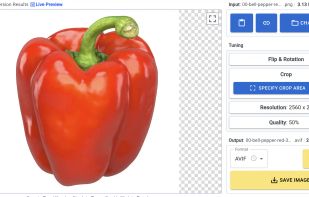
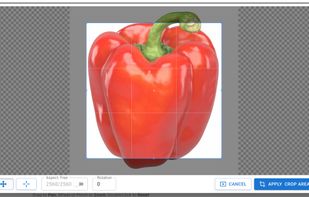
A program to simple reduce and rotate images. This GTK application can be useful for processing digital photos before sending by e-mail or uploading on the web.


ImageCraft is described as 'Effortlessly edit images with batch compression, scaling, cropping, rotation, and format conversion. Convert PDFs to images, create PDFs from images, package images, and more. Explore EXIF data, preview material themes, and pick colors from images' and is an app in the photos & graphics category. There are more than 50 alternatives to ImageCraft for a variety of platforms, including Windows, Mac, Web-based, Android and Linux apps. The best ImageCraft alternative is Image Toolbox (Resizer), which is both free and Open Source. Other great apps like ImageCraft are Caesium Image Compressor, Switcheroo Image Manipulation, Ayin and Converseen.
A program to simple reduce and rotate images. This GTK application can be useful for processing digital photos before sending by e-mail or uploading on the web.


iResize can resize, compress and save as JPEG or PNG the following image formats GIF, JPEG, PICT, PNG, TIFF and PSD files.

Photo Resizer Expert - Versatile batch image resizer - Adjust, apply effects and filters to images - Watch folders - Resize image with right click in Windows Explorer.


A fast image resizer and compressor, identical to exports of Figma and Sketch apps. Ideal for batch thumbnail generation in web development.

CompressBetter is a free online JPEG/JPG image compressor that utilizes Google's cutting-edge JPEGLI library. This technology enables superior image quality and significant file size reduction, often achieving 30-50% smaller JPEGs with visually identical quality, and...


Batch compress JPEG, PNG, HEIC, and WEBP images with drag-and-drop functionality, maintain high visual quality, and optimize files for storage, websites, and sharing across platforms without cloud upload or watermarks, supporting offline privacy.

Dropresize is a portable application that can automatically resize images in folders specified by the user. It resides in the system tray so it won’t interfere with your work, however it’s readily available if you want to configure it.

Instantly convert image files and multi-page PDFs to JPEG using a Mac-exclusive app. Features advanced control for resizing, compression, batch processing, and support for multiple formats and workflows, all through an intuitive drag-and-drop Dock interface.


A web-based platform for adding sparkling effects, animations, and HD videos to photos. Uses automated tools to apply glitter, soft lighting, and geometric patterns depending on image quality. Supports GIFs, video creation with soundtracks, and Dropbox/Photobucket integration 68.