Image Shrink Alternatives

Image Shrink is described as 'Resize photos and pictures easily before sending them by Email or sharing them on Twitter, Facebook or Pinterest. It's the most downloaded photo/picture resizer on Google Play' and is an app in the photos & graphics category. There are more than 50 alternatives to Image Shrink for a variety of platforms, including Windows, Web-based, Mac, Android and Linux apps. The best Image Shrink alternative is Image Toolbox (Resizer), which is both free and Open Source. Other great apps like Image Shrink are Caesium Image Compressor, Switcheroo Image Manipulation, Converseen and Image Normalizer.

Copy a direct link to this comment to your clipboard
Image Shrink alternatives page was last updated

Alternatives list

  1. Copy a direct link to this comment to your clipboard

    Photo Resizer HD is simple and easy to use application for resizing single and multiple images.

    Cost / License

    • Free
    • Proprietary

    Platforms

    • Android
     
  2. Copy a direct link to this comment to your clipboard

    Resize an image by removing "unnecessary" portions yet keeping the "important" features intact. Remove objects from an image without visible traces.

    Cost / License

    • Free
    • Proprietary

    Platforms

    • Windows
     
  3. Copy a direct link to this comment to your clipboard

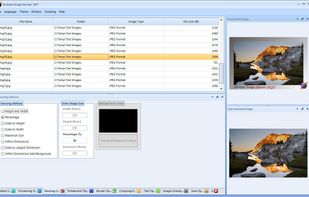
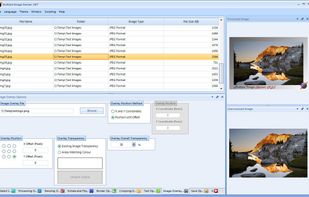
    Mass Image Compressor is easy to use - a point and shoot batch image compressor and converter tool for Web site optimization, photographers, HTML game creator and casual Windows users.

    Cost / License

    • Free
    • Open Source

    Application type

    Platforms

    • Windows

     
  4. Hamstertools icon
     1 like
    Copy a direct link to this comment to your clipboard

    Welcome to our growing collection of free online tools! We're building a comprehensive toolkit that will include image processing, text editing, code utilities, mathematical calculators, color tools, and much more. All tools are free to use, with no registration required.

    Cost / License

    • Free
    • Proprietary

    Platforms

    • Online
     
  5. iResize icon
     1 like
    Copy a direct link to this comment to your clipboard

    iResize can resize, compress and save as JPEG or PNG the following image formats GIF, JPEG, PICT, PNG, TIFF and PSD files.

    Cost / License

    • Free
    • Proprietary

    Alerts

    • Discontinued

    Platforms

    • Mac
     
  6. Copy a direct link to this comment to your clipboard

    A fast image resizer and compressor, identical to exports of Figma and Sketch apps. Ideal for batch thumbnail generation in web development.

    Cost / License

    • Free
    • Proprietary

    Application type

    Platforms

    • Online
     
  7. Copy a direct link to this comment to your clipboard

    Resize photos in the batch and save photos to the following targets: Disk folder, FTP remote connection (web server for example), send photos via Email using email templates, upload to Facebook or save them to Clipboard.

    Cost / License

    • Freemium
    • Proprietary

    Application type

    Platforms

    • Windows
     
  8. Copy a direct link to this comment to your clipboard

    Compress.Studio is a serverless image compression tool with decentralized storage. Open/Add any .jpeg, .jpg or .png image. By default, it compresses your image to the best size and quality. Select your preferred size to compress the image. Login with .

    Cost / License

    • Free
    • Proprietary

    Application type

    Platforms

    • Online
    • Blockstack
     
  9. Copy a direct link to this comment to your clipboard

    PhotoPenguin is a completely free batch photo editor with support for cropping, resizing, adding watermarks, and converting photos to other formats.

    Cost / License

    • Free
    • Proprietary

    Platforms

    • Online
     
  10. Copy a direct link to this comment to your clipboard

    Instantly convert image files and multi-page PDFs to JPEG using a Mac-exclusive app. Features advanced control for resizing, compression, batch processing, and support for multiple formats and workflows, all through an intuitive drag-and-drop Dock interface.

    Cost / License

    • Free
    • Proprietary

    Application type

    Platforms

    • Mac
     
You are at page 4 of Image Shrink alternatives