


IconBox
It's like iPhoto for your icons!
Features
Organize
We have the same convenient organization features with a couple of additions. The libraries are now called "Boxes". Drag icons from the finder into a box, create as many boxes as you like. Furthermore Boxes can b.
Cost / License
- Paid
- Proprietary
Alerts
- Discontinued
Platforms
- Mac

The official website is no longer available.

Features
- Extract Icons
Tags
- iphoto
- Icon search engine
- icon-browser
- customize-icons
- convert-icons
IconBox News & Activities
Recent activities
IconBox information
Developed by
Florian SoenensLicensing
Proprietary and Commercial product.Alternatives
9 alternatives listedSupported Languages
- English
AlternativeTo Category
Photos & Graphics


What is IconBox?
It's like iPhoto for your icons!
Features
Organize
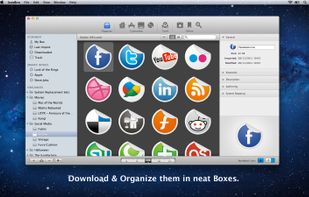
We have the same convenient organization features with a couple of additions. The libraries are now called "Boxes". Drag icons from the finder into a box, create as many boxes as you like. Furthermore Boxes can be arranged in folders and subfolders and you can re-drag Boxes and folders to change their order. We also created "Smart Boxes", like iTunes Smart Playlists, these folders are constantly updated based on given criteria. The search feature has been revamped to search for different criteria and the speed has been improved a lot.
Besides organizing, you can export icons to different formats like ICNS, PNG, TIFF, JPEG, GIF, PDF, even the iContainer format and last but not least as a convenient .zip package, ready to share with others.
Customize
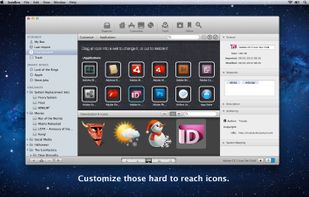
Since version 2, IconBox features full icon customization. Users can customize their system icons, dock icons, application icons, volume icons and even their dock in an easy to use drag-and drop way. This means that one can download the well know "iContainers" from different sites all over the web, having them change the look of your system with the click of a single button!
Tools
IconBox also features a "Tools" mode. The purpose of this mode is to host different icon related tools. The first tool available for now is "X-Ray Applications". X-Ray scans your application folder for the apps within and by clicking an app, it shows all the available icons and images within the application package, letting you have a look at them (Even with Preview.app), export them etc...
Online
The Online mode contains 3 features.
1: Icon-Of-The-Day: A new icon from a particular icon designer every day, downloadable directly into IconBox, straight into the "Downloaded" Box, ready to share or customize. 2: Icon Sites: A convenient list of major icon sites on the web, more sites will be added on the go. Double-Clicking a site opens it up in your default web browser. 3: IconFinder
Official Links
There are no links for this app, or they've been disabled.