


HighTop
2 likes
Take a shortcut to your files, local or in the cloud, in this lightweight file browser that's packed with macOS integration.
Cost / License
- Freemium (Pay once)
- Proprietary
Platforms
- Mac


Features
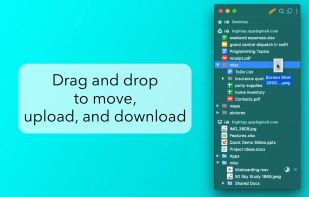
- Drag and Drop
 Dropbox integration
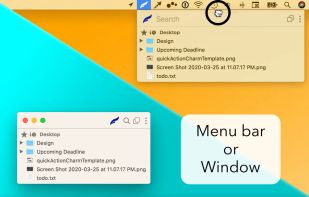
- Sits in the MenuBar
 Google Drive integration
HighTop News & Activities
Highlights All activities
Recent News
No news, maybe you know any news worth sharing?
Share a News TipRecent activities
No activities found.
HighTop information
Developed by
 Ryan Hanson
 Licensing
Proprietary and Freemium product.Pricing
One time purchase (perpetual license) that costs $10 + free version with limited functionality.Alternatives
2 alternatives listedSupported Languages
- English


No comments or reviews, maybe you want to be first?
What is HighTop?
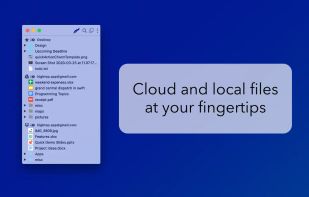
HighTop is the most convenient way to work with favorite local folders, Google Drive, or Dropbox. Avoid hunting for Finder windows, digging up a buried Desktop, or loading a browser tab.
Simply put, HighTop is a tree view of your files, and it's packed with macOS integration.
- Minimal learning curve and setup.
- Drag and drop to and from folders in the app to move, upload, and download files and folders.
- Drag and drop files and folders on the dock or menu bar icon.
- Drag and drop to a "drop panel" that is displayed when files are dragged in macOS.
- Quickly search as you type across all cloud accounts and favorite local folders at once.
- Cloud accounts are accessed securely and directly using official libraries.
- No servers in the middle handle your data.
- No user data is collected by the app.
- Easily switch between menu bar and window views.
- Minimal usage of system resources compared to other file browsers and cloud storage clients.
