


gummiboot
gummiboot is a simple UEFI boot manager which executes configured EFI images. The default entry is selected by a configured pattern (glob) or an on-screen menu.
Cost / License
- Free
- Open Source
Application type
Alerts
- Discontinued
Platforms
- Mac
- Windows
- Linux
- Chrome OS
- BSD
In May 2015, gummiboot was fully integrated into systemd to form its systemd-boot component that serves as a UEFI boot manager. Following this action, the source code repository of gummiboot was emptied out in July 2015. - https://en.wikipedia.org/wiki/Gummiboot_(software)

Features
Tags
gummiboot information
Developed by
 freedesktop.org
 Licensing
Open Source and Free product.Alternatives
8 alternatives listedSupported Languages
- English
AlternativeTo Category
OS & Utilities


What is gummiboot?
gummiboot is a simple UEFI boot manager which executes configured EFI images. The default entry is selected by a configured pattern (glob) or an on-screen menu.
gummiboot operates on the EFI System Partition (ESP) only. Configuration file fragments, kernels, initrds, other EFI images need to reside on the ESP. Linux kernels need to be built with CONFIG_EFI_STUB to be able to be directly executed as an EFI image.
gummiboot reads simple and entirely generic boot loader configuration files; one file per boot loader entry to select from. All files need to reside on the ESP.
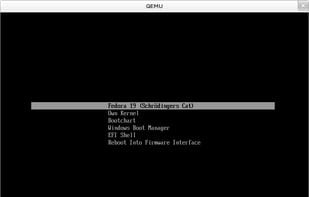
Pressing the Space key (or most other keys actually work too) during bootup will show an on-screen menu with all configured loader entries to select from. Pressing Enter on the selected entry loads and starts the EFI image.
If no timeout is configured, which is the default setting, and no key pressed during bootup, the default entry is executed right away.
Official Links
There are no links for this app, or they've been disabled.