


Gear Doc Converter
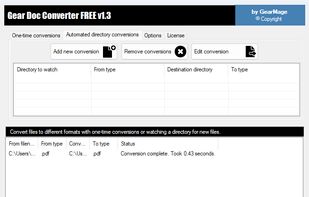
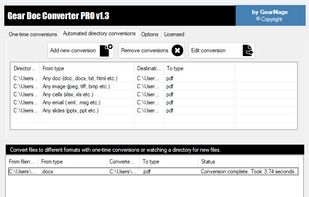
Free Document Converter lets you convert documents, emails, and files to over fifty popular formats directly on Windows.
Cost / License
- Free Personal
- Proprietary
Platforms
- Windows

Gear Doc Converter
Features
Properties
- Lightweight
- Privacy focused
Features
- No registration required
- Ad-free
- No Tracking
- Works Offline
Gear Doc Converter News & Activities
Recent activities
- gearmage rated Gear Doc Converter
- gearmage liked Gear Doc Converter
- gearmage added Gear Doc Converter
Gear Doc Converter information
What is Gear Doc Converter?
Free Document Converter lets you convert documents, emails, and files to over fifty popular formats directly on Windows.
Everything runs locally on your system — your files are never uploaded to the cloud — making it ideal for sensitive, private, or confidential documents. No external communication, analytics, or remote logging.
Supports Word, PDF, Excel, PowerPoint, email formats, images, and more. Fast, unlimited conversions, no sign-ups,no watermarks, no page limits or file counts, no time delays and no file size limits.
Simple. Secure. Completely free.
Supported Formats...
Word Processing • Microsoft Word: DOC, DOCX, DOCM, DOT, DOTX, DOTM • OpenDocument Text: ODT, OTT • Word XML: WordML • Rich Text: RTF • Web formats: HTML, HTMLFixed, MHTML • Text & markup: TXT, XML, TEX • eBook formats: EPUB, MOBIXML • Portable documents: PDF, PDFNotes • PostScript: PS
Presentation • PowerPoint: PPT, PPTX, PPTM • Slide shows: PPS, PPSX, PPSM • Templates: POTX, POTM • OpenDocument Presentation: ODP • Flash: SWF
Spreadsheet • Microsoft Excel: XLSX, XLSM, XLSB • Templates & add-ins: XLTX, XLTM, XLAM • OpenDocument Spreadsheet: ODS • Delimited formats: CSV, TAB, DIF • XML: SpreadsheetML
Images & Other Formats • Raster images: BMP, JPEG, PNG, TIFF, TIFFNotes • Vector images: SVG, EMF • Fixed-layout documents: XPS, OpenXPS • XAML formats: XAMLFixed, XAMLFlow, XAMLFlowPack • Flat OPC: FlatOPC, FlatOPCMacroEnabled • Flat OPC templates: FlatOPCTemplate, FlatOPCTemplateMacroEnabled