



Freshly Squeezed
Freshly Squeezed is the fast, Mac-native batch image processor that lets you resize, crop, convert, and optimize hundreds of images at once—without complexity or compromises.

Cost / License
- Pay once
- Proprietary
Platforms
- Mac
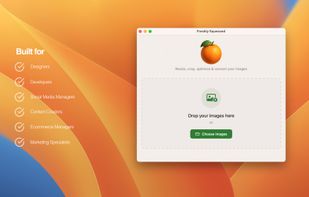



Freshly Squeezed
Features
- Image Processing
Tags
- MacOs
- Photo Editing
- mac-apps
- macos-utility
Freshly Squeezed News & Activities
Recent activities
- daelan added Freshly Squeezed
Freshly Squeezed information
Developed by
 Daelan Wood
 Licensing
Proprietary and Commercial product.Pricing
One time purchase (perpetual license) ranging between $6 and $10.Alternatives
0 alternatives listedSupported Languages
- English
What is Freshly Squeezed?
Freshly Squeezed is the fast, Mac-native batch image processor that lets you resize, crop, convert, and optimize hundreds of images at once—without complexity or compromises.
Freshly Squeezed includes a 3-day free trial, followed by a one-time purchase to fully unlock all features.
Built for designers, web developers, photographers, ecommerce teams, and content creators who need pixel-perfect results in minutes, not hours. Turn large image sets into production-ready assets with drag-and-drop simplicity and professional control. Choose from 20+ expert aspect ratios or define your own, fine-tune quality with intuitive sliders, and convert between modern formats like HEIC and WebP while preserving transparency and detail. Save your favourite settings as reusable presets, keep or remove metadata as needed, and move through entire projects with a workflow that feels seamless on macOS.
Key features -Batch processing: Drag in hundreds of images and process them all at once. -Precise resize & crop: 20+ pro aspect ratios (plus custom), built for consistent output. -Interactive cropping: Pixel-accurate control with smart modifiers for fine adjustments. -Format conversion: JPEG, PNG, TIFF, BMP, HEIC, and WebP—with modern compression options. -Quality optimization: Visual quality sliders to balance fidelity and file size. -Custom filename export settings. -Preset management: Save, organize, and reuse export settings; back up with iCloud Drive. -Drop Folders: Drag images into a folder and resize and convert without opening the app. -Metadata control: Preserve EXIF/GPS or strip it for privacy and smaller files. -Mac-native performance: Optimized for Apple Silicon and Retina; works great with Photos and Finder.
Perfect for -Designers and brand teams creating consistent social and web assets -Web developers optimizing responsive images and performance budgets -Photographers processing client galleries with reliable quality -Ecommerce managers standardizing product photos at scale -Content and social media creators publishing across multiple platforms
Common use cases -Responsive web image sets and thumbnails -Social media crops and platform-specific ratios -Product catalogs, hero images, headers, and email assets -Bulk HEIC to JPEG/PNG/WebP conversion for compatibility and performance
Whether you’re preparing a site launch, building a product catalog, or streamlining your studio workflow, Freshly Squeezed gives you professional-grade image processing that’s fast, consistent, and delightfully easy to use.
