File Juicer Alternatives

File Juicer is described as 'Extract images from PDF, PowerPoint, Word, Excel and other files. For Mac OS X 10.5 Leopard' and is an app in the security & privacy category. There are seven alternatives to File Juicer for Windows, Linux, Web-based, Google Chrome and Mac. The best File Juicer alternative is Foremost, which is both free and Open Source. Other great apps like File Juicer are Scalpel, PDF to X, MultiExtractor and Scalpel 2.0.

Copy a direct link to this comment to your clipboard
File Juicer alternatives page was last updated

Alternatives list

  1. Foremost icon
     9 likes

    Foremost is a console program to recover files based on their headers, footers, and internal data structures. This process is commonly referred to as data carving. Foremost can work on image files, such as those generated by dd, Safeback, Encase, etc, or directly on a drive.

    Cost / License

    • Free
    • Open Source

    Application type

    Platforms

    • Linux
     
  2.  2 likes

    Scalpel is a file carving and indexing application that runs on Linux and Windows.

    Cost / License

    • Free
    • Open Source

    Application type

    Platforms

    • Windows
    • Linux
     
  3. PDF to X icon
     1 like

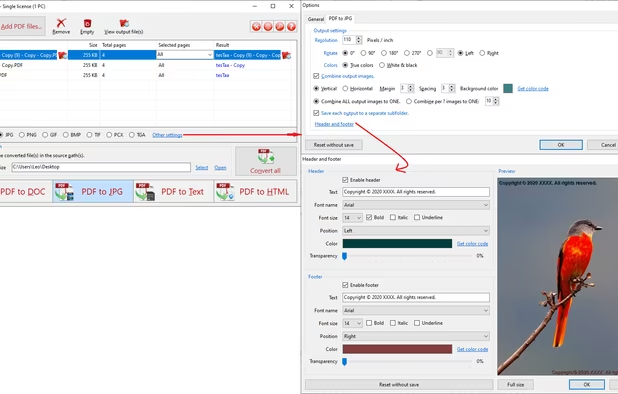
    PDF to X is used to convert PDF documents to Word (.doc)/WordPad (.rtf) documents, HTML web pages, JPG/PNG/BMP/TIF/GIF/PCX/TGA images and plain text files in batch mode. It works without Adobe Acrobat or Adobe Reader.

    Cost / License

    • Paid
    • Proprietary

    Platforms

    • Windows
     
  4. MultiExtractor allows users to 'look' into files and folders, explore and extract hidden elements, such as images, audio, video, icons, and textures, all from within a minimalistic and easy-to-use interface.

    Cost / License

    • Paid
    • Proprietary

    Platforms

    • Windows
     
  5.  1 like

    Scalpel-2.0 - Scalpel; File Carving. Configuration files are modified.

    Cost / License

    • Free
    • Open Source

    Application type

    Platforms

    • Mac
    • Windows
    • Linux
     
  6. Find and extract embedded multimedia resources. Discover hidden images, audio, video or documents within files. Browser tool, no uploads and no installation necessary.

    Cost / License

    • Free
    • Proprietary

    Platforms

    • Online
    • Google Chrome
     
  7. Extract Thousands Pictures, Videos, Music, Sounds hidden inside programs / files on your computer with AllMedia Grabber. AllMedia Grabber searches in files (executables, libraries, custom controls, data files e.t.c.) and extracts multimedia files.

    Cost / License

    • Paid
    • Proprietary

    Platforms

    • Windows
     
7 of 7 File Juicer alternatives