


Fig Player
Fig Player, is a media player for Mac that supports a wide variety of media files and allows you to listen to music, watch videos and movies.
Cost / License
- Freemium (Pay once or Subscription)
- Proprietary
Platforms
- Mac
- Windows
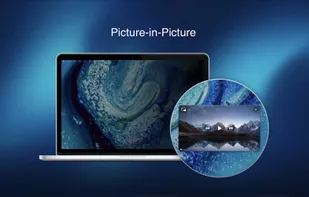
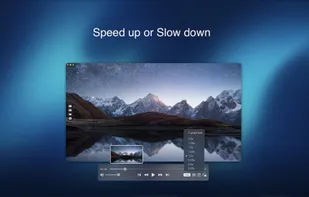
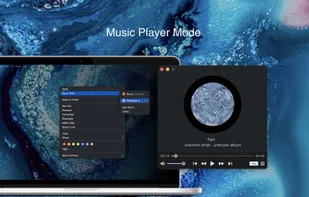

Fig Player
Features
- Support for 4K
- Works Offline
- No registration required
- Ad-free
Fig Player News & Activities
Recent activities
Fig Player information
Developed by
 Omi Software Studio Inc.
 Licensing
Proprietary and Freemium product.Pricing
One time purchase ranging between $7 and $15, and / or subscription ranging between $1 and $2 per month + free version with limited functionality.Alternatives
0 alternatives listedSupported Languages
- English
- Chinese
- Japanese
What is Fig Player?
Fig Player, is a media player for Mac that supports a wide variety of media files and allows you to listen to music, watch videos and movies.
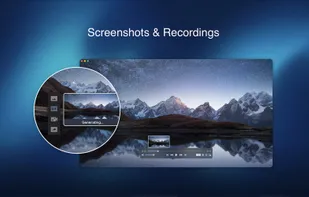
If you have an extensive media library but don’t have a good media player for Mac, here’s a good solution. Fig Player. It’s free to use and comes with a friendly interface. On the screen, you’ll be able to see all of the buttons that give you control over your experience, such as the play and stop button, playback options, volume slider, preview section, screenshot, and recording.
More Advanced Features
- Smooth, seamless video play, support 4K.
- Auto deinterlacing.
- H/W-acceleration.
- A-B loop.
- Frame by Frame playback.
- PIP mode.
- Support various Subtitle formats(Text subtitles(SRT), Vobsub and ASS/SSA, etc.).
- AI subtitle generation
- Choose which one when you have multiple sound output devices.
- Create the scene poster with snapshots.
- Playlist with upper-level folder name.
- Support multiple windows and play multiple videos at the same time.
- Support Wireless display to DLNA, Chromecast, Roku devices.
- OCR Text Recognition(macOS 12+)
Supported Formats: Videos: mkv, rmvb, rm, avi, mov, wmv, flv, f4v, f4p, f4a, f4b, swf, mpg, mpeg, mpeg1, mpeg2, m1v, m2v, mpv, mp4, mpeg4, m4v, 3gp, 3gpp, 3g2, 3gp2, m2p, ps, ts, m2ts, mts, mt2s, ogm, ogv, divx, dv, asf, wtv, webm, etc.
Audios: flac, ape, m2a, mp1, mp2, mpa, mp3, mpg3, m4a, m4b, wma, wav, wv, xm, aiff, aif, ac3, a52, aac, opus, ogg, oga, mid, midi, mka, etc.
Subtitles: ASS, SSA, SRT, IDX&SUB
Fig Player for Mac offers the following options for upgrading to VIP service. With VIP service have access to all advanced services.
VIP features:
OCR Text Recognition
- One-click recognize various language, free copy Screencasting
- Various formats, multiple devices, cast screen as you like Video clip recording
- Any video, on-demand clips, automatic recording
Service: Upgrade to VIP to get unlimited access One-time purchase for lifetime access Monthly subscription Yearly subscription
Price may vary by location.
Privacy Policy and Terms of Use https://omiapps.com/privacy https://omiapps.com/terms


Comments and Reviews
I like it because it supports multi-level playlist