



FB Group AI Extractor
Facebook Group Extractor with AI?Scrape Facebook Group Members with One-Click! Easily extract, analyze, and utilize valuable information from Facebook groups with AI.
Cost / License
- Freemium (Subscription)
- Proprietary
Platforms
- Google Chrome

FB Group AI Extractor
Features
Tags
FB Group AI Extractor News & Activities
Recent activities
FB Group AI Extractor information
What is FB Group AI Extractor?
Facebook Group Extractor with AI?Scrape Facebook Group Members with One-Click! Easily extract, analyze, and utilize valuable information from Facebook groups with AI.
🌟 Why Use FB Group AI Extractor?
We have 10k+ satisfied users and provide 1 billion Facebook Groups, 180 million user leads, 1.3 billion email leads, and 60 million phone numbers:
Marketing and Ads - Businesses use behavioral analytics to personalize ads, increasing engagement and conversion rates with influential FB Group Members
Enhance Content - Data analysis assists leaders in tailoring content to resonate with members and meeting expectations to improve satisfaction and retention
User Research - Study your customers and see what competitors are doing to better understand customer behavior and make product adjustments
🤖 How to use
Step 1: Install the extension Open your browser and install the Chrome extension "FB Group Extractor" by dataextai.com
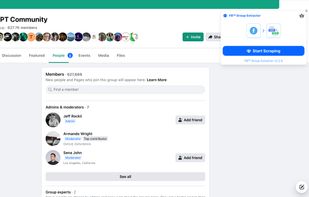
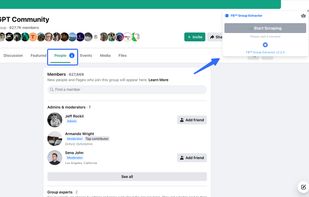
Step 2: Nav to the members section Go to the group page and click on the "Members" tab to see the list of members
Step 3: Start automatic data collection Click on "Start Scraping" to extract the information including name, join date, location, etc