


FAR - Find And Replace
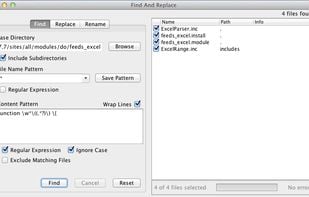
FAR is a simple tool for search and replace operations over multiple files. You can apply ordinary "word by word" replacement, or choose to use fully featured regular expressions.
 EU
EU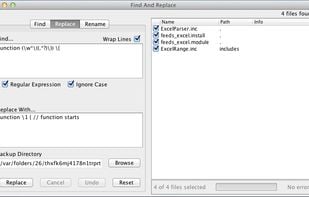

Features
Properties
- Lightweight
Features
- Multiple files
- Search and Replace
- Works Offline
- Ad-free
- Batch Editing
- Portable
- MP3 / ID3 Renaming
- No registration required
- Built-in viewer
- Dark Mode
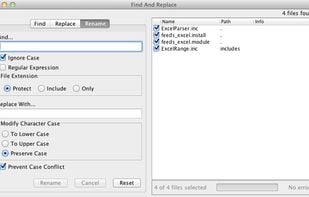
- Batch Rename Files
- Support for regular expressions
- File Renaming
- File Search
Tags
FAR - Find And Replace News & Activities
Recent News
Recent activities
- K0RR added FAR - Find And Replace as alternative to ugrep
- andrzila liked FAR - Find And Replace
FAR - Find And Replace information
Developed by
 Olivier Wehner
 Licensing
Open Source and Free product.Alternatives
32 alternatives listedSupported Languages
- English


What is FAR - Find And Replace?
FAR is a simple tool for search and replace operations over multiple files. You can apply ordinary "word by word" replacement, or choose to use fully featured regular expressions.
FAR automatically creates backups (unless you deselect this option) and is designed to operate on files dispersed over entire directory trees. For your comfort you may define search strings that span multiple lines by just typing multiple lines - no obscure construct like "$\r?(?s:.)^" is required.
While all editors know "find and replace", and many support regular expressions, there is only a few that allows to:
- Change a selection of files from different directories at once.
- Allow search (and replace) patterns that span multiple lines.
Comments and Reviews
I like far. Only one thing. It needs java runtime to run