


Excel VBA AI Assistant
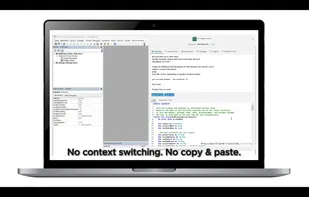
Excel VBA AI Assistant integrates AI directly into the Visual Basic Editor. It generates VBA code from natural language, explains and documents macros, optimizes performance, and supports debugging within Excel.
Cost / License
- Freemium (Subscription)
- Proprietary
 EU
EUPlatforms
- Windows

Excel VBA AI Assistant News & Activities
Recent activities
- arzum-sensin rated Excel VBA AI Assistant
- arzum-sensin liked Excel VBA AI Assistant
- dirk_noetzel rated Excel VBA AI Assistant
- dirk_noetzel added Excel VBA AI Assistant
 dirk_noetzel added Excel VBA AI Assistant as alternative to Ajelix AI Excel Tools, Numerous.ai, ExcelMaster.ai and AI Excel Bot

Excel VBA AI Assistant information
Developed by
 Dirk Nötzel
 Licensing
Proprietary and Freemium product.Pricing
Subscription ranging between $6 and $15 per month + free version with limited functionality.Alternatives
6 alternatives listedSupported Languages
- English
- German
AlternativeTo Category
Development

What is Excel VBA AI Assistant?
The Excel VBA AI Assistant is a software application that integrates artificial intelligence directly into the Visual Basic Editor of Microsoft Excel. It is designed for users who create, maintain, or analyze VBA macros for automation, reporting, and extending Excel functionality. By working inside the VBA editor itself, the assistant removes the need to copy and paste between external AI tools and Excel, allowing tasks to be completed within one consistent environment.
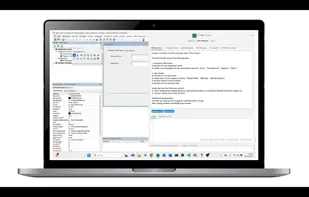
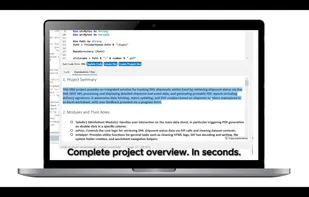
The tool can generate new VBA code from plain-language instructions in English or German, including procedures, functions, and complete UserForms. It also supports code analysis by explaining complex or unfamiliar macros in clear language and producing structured documentation. This feature is intended to help both newcomers trying to understand VBA and experienced developers maintaining legacy projects.
Debugging support includes automated detection of compile-time and runtime errors. The system proposes corrected versions of the affected code and provides standardized error-handling templates, logging options, and test scaffolds. Each correction is explained, helping users address not only the immediate problem but also understand the underlying cause.
Optimization is another key area. The assistant identifies inefficient constructs such as repeated cell-level loops or the use of Select and Activate, then suggests more efficient alternatives such as array processing or direct object references. The tool also highlights performance improvements in context, making the refactoring process transparent.
In addition, a built-in snippet manager contains more than one hundred categorized VBA routines. Users can search, store, and reuse snippets directly in the editor, as well as add personal code fragments to build their own library.
The Excel VBA AI Assistant is distributed as both an Excel add-in and a standalone Windows application. All code is processed on private servers located in Europe, not shared with public AI services, and never used for training purposes. Data transfer is encrypted, and authentication is managed through Microsoft accounts.
Typical use cases include automating recurring Excel workflows, generating user interfaces, optimizing legacy macros, debugging errors in production code, and creating documentation to improve maintainability.
