


DRPU Videos Rotator
Freeware video rotator software for windows to rotate the videos shot in a wrong orientation. Video rotator converts viewing angle of videos as per user’s choice such as flip horizontal, flip vertical or 180, rotate 90 degrees right or left, etc.
Cost / License
- Free
- Proprietary
Platforms
- Windows

DRPU Videos Rotator
Features
- Media Streaming
DRPU Videos Rotator News & Activities
Recent activities
DRPU Videos Rotator information
What is DRPU Videos Rotator?
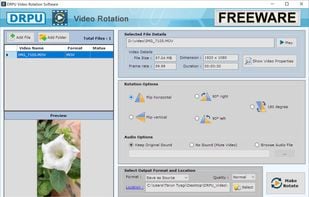
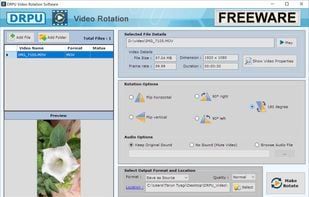
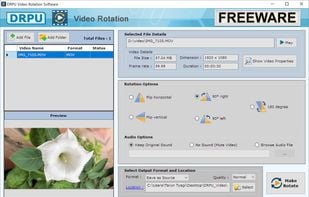
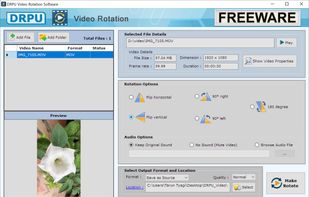
Download DRPU video rotator is free software to rotate videos in any orientation angle in just a single click. DRPU Video rotator software supports most of the video formats including MP4, MPG, MKV, etc. Changing the Viewing angle of videos using this freeware app is easier than ever and requires no video-editing skills for rotating your video clips. Rotation can be done in any direction such as flip horizontal, flip vertical, rotate 90 degrees right, 90 degrees left, and 180 degrees. DRPU Video rotator freeware for windows is compatible with any video format and flips your video clips instantly. DRPU video rotator can rotate videos clockwise and anticlockwise and also in horizontal and vertical. The software is small in size, free, offline installer, easy to use, and available for windows 10, 8, 8.1, 7, and vista. You do not require any special video editing skills for rotating your video using this program. Here are some cool features: * User-friendly interface * Simple, fast, and secured * Compatible with any format * No watermarks * Rotation in any direction * Video preview to check the resulting video orientation * Allows batch processing to rotate videos in bulk * No video size and duration limits DRPU video rotating software can change the quality of the video file as per your need. Save the rotated video into any video format. You can also change the audio option by selecting “browse audio file.” Here are too easy steps to rotate the video clips: * Browse and select the video file using add file. You can also select the folder containing videos using add folder. *Select the rotation option. * Click the “make rotate” Button for rotating the video files. By selecting the quality option you can change the quality of the resulting output video. You can browse the location where you want to store the rotated video and can use it on any social media. Download free DRPU video rotator software now!