


DockFlow
1 like
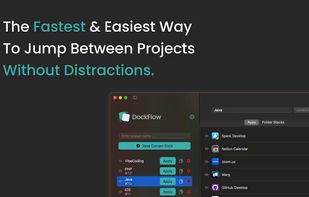
Boost your productivity with DockFlow. Instantly save, manage, and switch between multiple macOS Docks. It's simple and built for focus.
Cost / License
- Pay once
- Proprietary
Application types
Platforms
- Mac


Features
- No registration required
- Ad-free
- Works Offline
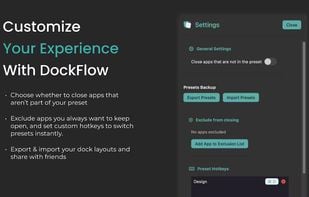
- Dock customization tools
- Dock
- Workflow Management
- No Subscription
Tags
- layout manager
- dock-switcher
- mac-utility
- dock-manager
- dock-management
- dock-changer
DockFlow News & Activities
Highlights All activities
Recent activities
- ExtraDock liked DockFlow
 POX added DockFlow as alternative to Dockfinity
 Maoholguin added DockFlow as alternative to DockProfiles
 Maoholguin added DockFlow as alternative to DockIt Space
 POX added DockFlow as alternative to DockIt - Organize your Mac Dock
- POX added DockFlow


DockFlow information
Developed by
 Asaf Mazuz
 Licensing
Proprietary and Commercial product.Pricing
One time purchase (perpetual license) that costs $5.Alternatives
6 alternatives listedSupported Languages
- English
No comments or reviews, maybe you want to be first?
What is DockFlow?
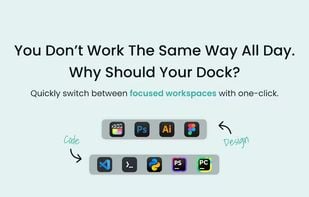
Stay in flow. Dock by dock. Whether you’re coding, designing, or jumping between tasks—DockFlow helps you switch into the right workflow instantly. One-time setup, lifetime productivity.
Keep it simple.
Why overcomplicate things? No extra features, no learning curve—just a fast, effortless way to switch Dock setups.
- Setup your dock layout: Just open the apps you use for your workflow
- Give it a name & save: In the app, enter a name like ‘Design’ and click ‘Save Current Dock.’
- Ta-da! Your dock is set! Change your Dock layout anytime, with a single click.
One-time purchase. Full-time focus. No subscriptions, no monthly fees, No catches. Just one-time payment for lifetime access.