


Device Test Online
Free, privacy-first hardware diagnostic suite. Test monitors, microphones, keyboards, mice, and gamepads directly in your browser without installation.
Cost / License
- Free
- Open Source (MIT)
Platforms
- Online

Device Test Online
Features
Tags
- testing-tools
- device-testing
- test-devices
- peripheral-devices
- device-test
- peripheral-test
Device Test Online News & Activities
Recent activities
 elliepetalmedia added Device Test Online as alternative to HardwareTest
- elliepetalmedia added Device Test Online
Device Test Online information
Developed by
 elliepetalmedia
 Licensing
Open Source (MIT) and Free product.Written in
Alternatives
0 alternatives listedSupported Languages
- English

What is Device Test Online?
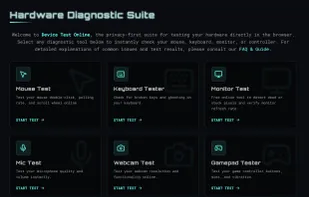
Device Test Online is a comprehensive, client-side utility suite designed to test and validate your computer hardware and peripherals. Unlike scattered single-purpose websites, it combines essential diagnostic tools into one privacy-focused dashboard.
It is perfect for gamers verifying new gear, buyers testing used electronics, or remote workers troubleshooting setup issues. The entire suite runs 100% in your browser, no software installation is required, and no audio/video data is ever recorded or uploaded to a server.
Key Features:
-
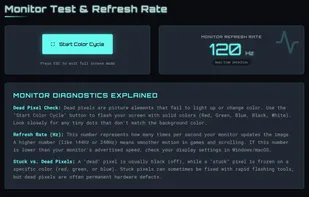
Monitor Diagnostics: Detect dead or stuck pixels with high-contrast color cycling. Includes a Refresh Rate Counter to verify if your monitor is configured correctly.
-
Input Device Testing:
-
Mouse: Check Polling Rate (Hz) and jitter to verify gaming mouse performance.
-
Keyboard: Visualize N-Key Rollover (Ghosting) to see how many simultaneous keys your keyboard can register.
-
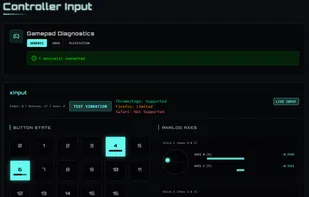
Gamepads: Testing buttons, triggers, vibration, and drift on Xbox, PlayStation, and generic USB controllers.
-
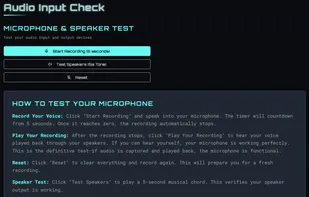
Audio Testing: Record and playback audio without downloading recording software.
-
Privacy First: Built on a serverless architecture. All tests use standard HTML5 APIs locally, data never leaves your device.
Why use this site? While other sites only test your screen or a single peripheral, Device Test Online offers a complete health check for your entire setup (Audio, Input, and Display) in a single, lightweight interface.