Cost / License
- Free
- Proprietary
Platforms
- Mac


AmorphousDiskMark vs CrystalDiskMark Comments
Exactly the same app built from the ground up as a native Mac OS one
It's the CrystalDiskMark for Mac


- AmorphousDiskMark is Free and Proprietary
CrystalDiskMark is not available for Mac but there are some alternatives that runs on macOS with similar functionality. The best Mac alternative is AmorphousDiskMark, which is free. If that doesn't suit you, our users have ranked more than 25 alternatives to CrystalDiskMark and nine of them are available for Mac so hopefully you can find a suitable replacement. Other interesting Mac alternatives to CrystalDiskMark are Cross Platform Disk Test, Blackmagic Disk Speed Test, diglloydTools DiskTester and InchWest DiskMark.


Exactly the same app built from the ground up as a native Mac OS one
It's the CrystalDiskMark for Mac


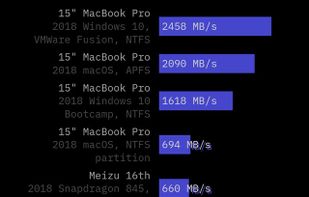
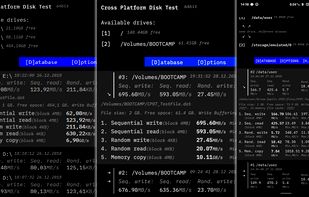
Measuring storage performance (SSD, HDD, USB Flash etc.) and RAM speed across Windows, macOS, Linux and Android devices. Random and sequential throughput (read/write operations) is calculted in MB/s and can be compared in consistent and reliable manner between mobile and desktop...

Disk Speed Test is an easy to use tool to quickly measure and certify your disk performance for working with high quality video! Simply click the start button and Disk Speed Test will write test your disk using large blocks of data, and then display the result.


DiskTester is a 64-bit application which tests drive performance and reliability for single volumes or RAID. Some highlights:


Test the performance of your flash (pen/usb), solid state, hard disk drives in just 60 seconds.

QuickBench is a simple to use but powerful hard disk performance benchmarking tool. It provides three built-in, industry trusted test suites which measure the performance of dozens of preset hard disk transfer sizes.

Does not measure disk performance.

Xbench was developed by Spiny Software to provide a comprehensive benchmarking solution for Mac OS X. Xbench is useful not only for comparing the relative speeds of two different Macintoshes, but also for optimizing performance on a single machine.

SystemPal is becoming an ALL-IN-ONE app. It is the best tool to monitor your memory/CPU usage status, CPU temperature and fan speed, network speed. It also provides a tool kit including mini music player, screen shot utility, memory cleaner.


Like a copy of Crystal Disk Mark, but for Mac OS. :)