


Crystal Office Maple
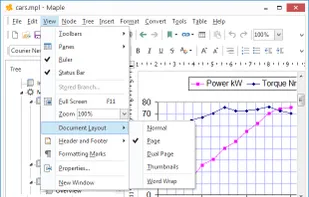
Professional tree outline manager with built-in word processor. Create your own hierarchical trees for storing documents, notes, links, contacts, passwords, or photos. Manage your information the easy way.
Cost / License
- Paid
- Proprietary
Platforms
- Windows

Crystal Office Maple
Features
- Portable
- Note organization
- Personal Information Manager (PIM)
- Outliner
Tags
- notes-manager
- notepad
- getting-things-done
Crystal Office Maple News & Activities
Recent activities
Crystal Office Maple information
Developed by
 Crystal Office Systems
 Licensing
Proprietary and Commercial product.Alternatives
0 alternatives listedSupported Languages
- English
What is Crystal Office Maple?
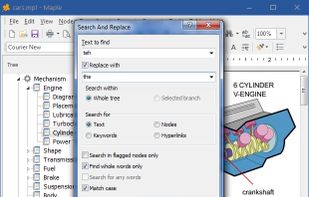
Maple will get you started within a minutes. Entering information is easy: type it, drag it in, import it or paste it. Global search puts information at your fingertips. Links and hyperlinks ties all your information together for quick access and reference.
The dual-window interface, with quick-action buttons and drag-and-drop support, facilitates the building of your tree. You can create unlimited nodes and sub-nodes and assign any document, note or image to each one.
Maple imports and exports OPML, plain text files, Rich Text Format, Word doc and docx, Windows Write, Adobe PDF, and HTML files used by Microsoft Word and other word-processors.
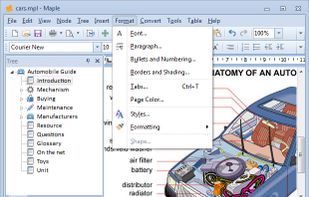
Other options include complete control over text and tree appearance. Onscreen you can quickly increase or decrease text size, add super- or subscript text, and change the text alignment. You can also quickly create numbered or bulleted lists, headers, footers and tables. Create custom styles for your text - define a font, face, attributes, color, alignment, etc. - that lets you easily apply a style to specific text. Great for headers, captions, or entire paragraphs of text you need to distinctively separate.
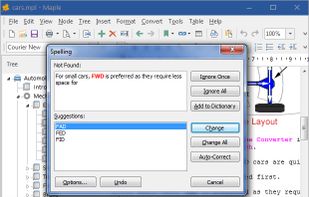
Maple also has a built-in spell checker, password generator and screen capture. Other features include changing the case of text to all upper or lower, and character map, and print preview.
Maple can be considered as a complete writing studio for journalists, novelists and writers, that allows you to concentrate on composing and structuring long and difficult documents.