Clipchamp Alternatives

Clipchamp is described as 'All your video needs in one place. Use Clipchamp’s free video editor to create beautiful videos today' and is a Video Editor in the photos & graphics category. There are more than 100 alternatives to Clipchamp for a variety of platforms, including Windows, Mac, Linux, iPhone and Web-based apps. The best Clipchamp alternative is Kdenlive, which is both free and Open Source. Other great apps like Clipchamp are Shotcut, DaVinci Resolve, OpenShot and Avidemux.

filter to find the best alternatives

Clipchamp alternatives are mainly Video Editors, but if you're looking for Video Converters or Audio Converters you can filter on that. Other popular filters include Windows + Free, Free and Linux. You can also filter by region, for example EU-based alternatives if you prefer software developed in the European Union. These are just examples - use the filter bar below to find more specific alternatives to Clipchamp.
Copy a direct link to this comment to your clipboard
Clipchamp alternatives page was last updated

Alternatives list

  1. Pixiko icon
     4 likes
    Copy a direct link to this comment to your clipboard

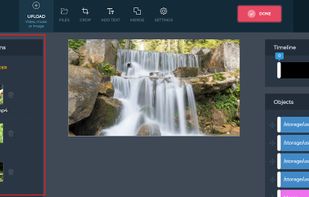
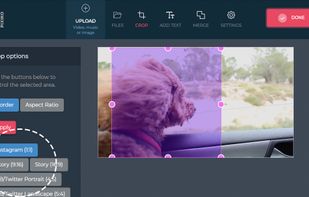
    Edit video online in 1 click! Make your own viral content and use it on social networks, websites and advertising. Change and personalize it easily and quickly. It's free and super simple to use!.

    Cost / License

    • Free
    • Proprietary

    Application type

    Platforms

    • Online
     
  2. Write-on Video icon
     129 likes
    Copy a direct link to this comment to your clipboard

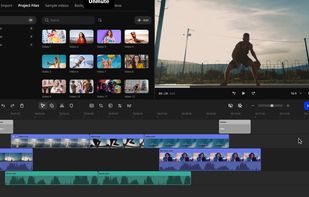
    Enjoy the fun of video editing with Write-on Video Ultimate. Fast and easy – you can now create videos and scripts simultaneously with Write-on Video.

    107 Write-on Video alternatives

    Cost / License

    • Freemium (Subscription)
    • Proprietary

    Application type

    Platforms

    • iPhone
    • iPad
    • Windows
    • Mac
     
  3. Copy a direct link to this comment to your clipboard

    Vidmore Video Editor is a professional video editing program. With it, you could trim, crop and rotate your videos. It also allows you to adjust video effects and enhance video quality.

    Cost / License

    • Freemium (Subscription)
    • Proprietary

    Application type

    Platforms

    • Mac
    • Windows
     
  4. Copy a direct link to this comment to your clipboard

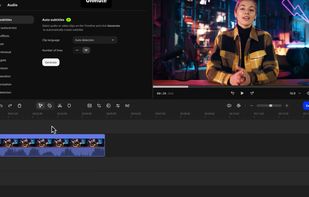
    Timeline video editor provides drag-and-drop functionality, screen recording, webcam capture, 60 fps support, multi-format export, transitions, chroma key, custom text, effects layering, split and trim, audio tools, stock media, preview, and direct uploads.

    63 Luxea Video Editor alternatives

    Cost / License

    • Freemium (Pay once)
    • Proprietary

    Application type

    Platforms

    • Windows
     
  5. Lumiera icon
     8 likes
    Copy a direct link to this comment to your clipboard

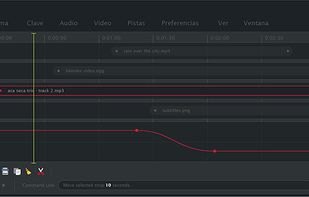
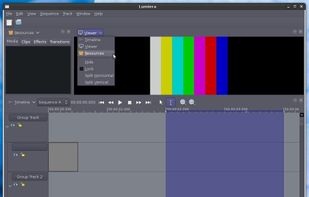
    Lumiera is NonLinear Video Editing (NLE) for GNU/Linux developed by the CinelerraCV community. It was born as a rewrite of the Cinelerra codebase called Cinelerra3 but it is now an independent project with its own name.

    Cost / License

    • Free
    • Open Source

    Application type

    Platforms

    • Linux
     
  6. Copy a direct link to this comment to your clipboard

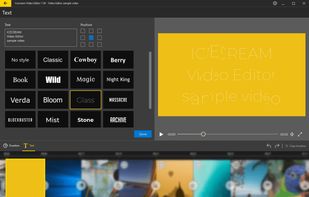
    Powerful and easy video editor to manage video, images, audio files in one place. Trim, flip and rotate, add transitions and effects, add text and much more.

    Cost / License

    • Free
    • Proprietary

    Application type

    Platforms

    • Windows
     
  7. Copy a direct link to this comment to your clipboard

    Welcome to VICO, the place where simplicity and power converge to redefine video editing. Imagine being able to convey your key messages and bring your vision to life with just a few taps on your screen.

    Cost / License

    • Freemium (Subscription)
    • Proprietary

    Application type

    Platforms

    • iPhone
    • iPad
    • Android
    • Android Tablet
     
  8. Copy a direct link to this comment to your clipboard

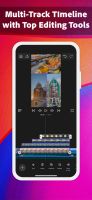
    Simple yet powerful, Splice makes it easy to create fully customized, professional-looking videos on your iPhone or iPad. Imagine the performance of a desktop editor, optimized for your mobile device. Just tap to trim clips, add slow motion effects, and overlay multiple clips to...

    Cost / License

    • Freemium (Subscription)
    • Proprietary

    Application type

    Platforms

    • iPhone
    • iPad
    • Android
     
  9. Videoleap icon
     1 like
    Copy a direct link to this comment to your clipboard

    Advanced video editor with capabilities like AI-driven effects, layering video cuts, adjustable brightness and saturation, frame-by-frame editing, and more, suitable for creators from small businesses to influencers seeking professional-grade cinematic output.

    Cost / License

    • Freemium (Pay once)
    • Proprietary

    Platforms

    • Online
    • Android
    • iPhone
    • Android Tablet
    • iPad
     
  10. Copy a direct link to this comment to your clipboard

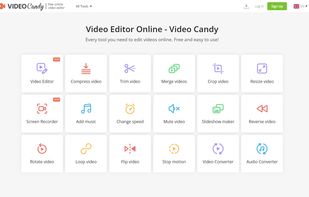
    Video Candy provides you with an impressive number of online video tools: merge videos, compress, trim, etc. Free of charge.

    Cost / License

    • Freemium (Pay once or Subscription)
    • Proprietary

    Application type

    Platforms

    • Online
    • Software as a Service (SaaS)
     
    • Video Candy is the most popular SaaS alternative to Clipchamp.

    • Video Candy is Freemium and ProprietaryClipchamp is also Freemium and Proprietary
  11. Zebracat icon
     Like
    Copy a direct link to this comment to your clipboard

    Zebracat is a text-to-video AI that helps marketers to quickly produce engaging videos.

    Cost / License

    • Freemium (Subscription)
    • Proprietary

    Application type

    Platforms

    • Online
    • Software as a Service (SaaS)
     
  12. MEncoder icon
     24 likes
    Copy a direct link to this comment to your clipboard

    MEncoder is a free command line video decoding, encoding and filtering tool released under the GNU General Public License. It is a sibling of MPlayer , and can convert all the formats that MPlayer understands into a variety of compressed and...

    Cost / License

    • Free
    • Open Source

    Application type

    Platforms

    • Mac
    • Windows
    • Linux
    • BSD
    • Haiku
    • MPlayer
     
    |
    1
    Comments about MEncoder as an Alternative to Clipchamp
    Bloo Alien
    Negative
    1

    It's not a video EDITOR. It's a video CONVERTER.

    Clipchamp Icon
    MEncoder icon
    • MEncoder is Free and Open SourceClipchamp is Freemium and Proprietary
You are at page 5 of Clipchamp alternatives