


Free edit, shrink, resize and encode 4K/5K/8K/HD/SD videos on Mac at 5X faster speed with no quality loss.
Platforms
- Mac
 China


+2





Apps similar to Clip Squeezer include HandBrake, which is free and open source. Other options are Avidemux, File Converter, Video Compression and Shutter Encoder. You're spoiled for choice with Video Converters like Clip Squeezer: we list more than 25 alternatives for Windows, Mac, Linux, the web and iPhone.
Free edit, shrink, resize and encode 4K/5K/8K/HD/SD videos on Mac at 5X faster speed with no quality loss.
China
MediaReduce is a file compression and editing platform that supports images, videos ad documents. The platform ensures that compressed files do not lose quality and editing files is made easy. You can convert, trim, resize, merge, etc, images, videos and documents.


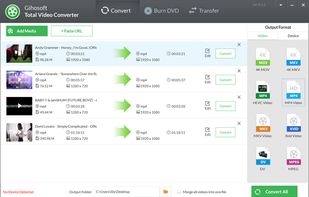
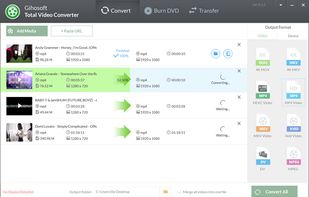
Gihosoft Total Video Converter is a extremely powerful and full-featured video converter which converts more than 1000 video and audio formats for playing on any device. Moreover, with awesome editing tools, you can easily create and edit your personalized videos.
China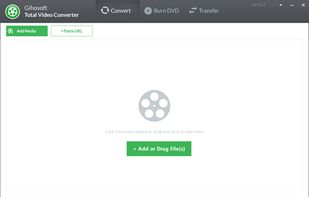


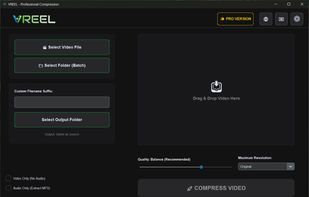
A powerful batch video compressor for Windows. Reduce video size by up to 90% with zero quality loss. Process thousands of files in one click using hardware acceleration and a clean, modern UI.
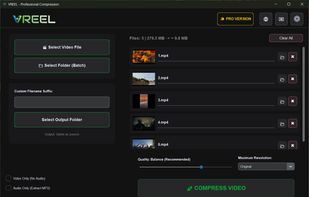
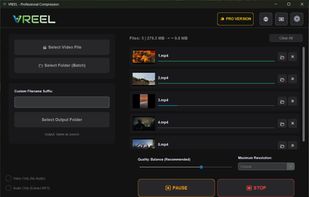


Cisdem Video Compressor is an excellent video compression software for Windows. It allows users to compress video and audio files by setting percentage, target file size and optional settings to ensure satisfactory results.
 Hong Kong


VideoSlimmer is a fast, lightweight, and privacy-first video compression and conversion app for iOS and iPad. Designed with a brand-new UI and streamlined workflow, it helps you compress videos, reduce file size, and convert formats effortlessly - right on your device.
Hong Kong


VideoClipper is a free web-based tool that lets you trim any part of an online video and download it instantly as an MP4 file. Whether you're creating memes, saving highlights, or clipping tutorials, it helps you get exactly what you need without downloading the whole video.


