


Chrome Emacs
Like
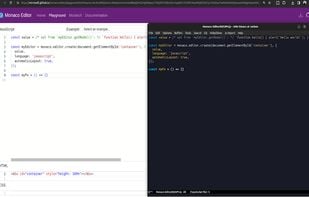
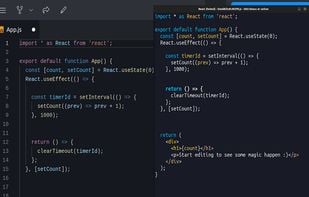
Use Emacs to edit textareas and online editors. This extension provides bi-directional editing, cursor and scroll synchronization, and keyboard shortcuts, supporting popular online editors like CodePen, StackBlitz, and more.
Cost / License
- Free
- Open Source (MIT)
Platforms
- Google Chrome
- Mozilla Firefox

Chrome Emacs
Like
Features
- No Tracking
- Ad-free
- EMACS
- Emacs mode
 Emacs integration
Chrome Emacs News & Activities
Highlights All activities
Recent activities
No activities found.
Chrome Emacs information
Developed by
Karim AziievLicensing
Open Source (MIT) and Free product.Written in
Alternatives
0 alternatives listedSupported Languages
- English

AlternativeTo Category
Web BrowsersGitHub repository
- 114 Stars
- 1 Forks
- 0 Open Issues
- Updated
No comments or reviews, maybe you want to be first?
What is Chrome Emacs?
Use Emacs to edit textareas and online editors. This extension provides bi-directional editing, cursor and scroll synchronization, and keyboard shortcuts, supporting popular online editors like CodePen, StackBlitz, and more.
Chrome Emacs allows bi-directional editing of text areas and online text editors directly from Emacs. Experience seamless editing with features like cursor and scroll synchronization, auto-major mode detection, and support for multiple online editors.
Features:
- Works with most online editors: CodePen, StackBlitz, JSFiddle, LeetCode, etc.
- Cursor and Scroll Sync: Live-code seamlessly in online editors.
- Editable Areas Navigation: quickly switch focus using hints.
- Auto-Major Mode Detection: Automatically picks the right editing mode.
Installation:
- Install the add-on for your browser.
- In Emacs install the Atomic Chrome fork.
Usage:
- Start the server in Emacs with M-x atomic-chrome-start-server.
- Activate the extension in your browser and start editing directly in Emacs.