



ChatGPT Butler
Features:
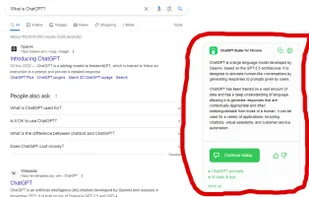
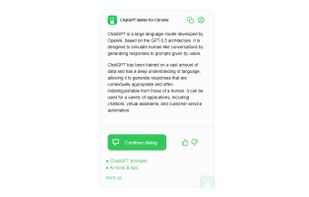
- Extended search results: view ChatGPT generated responses alongside search engine results!
- ChatGPT on every page: access ChatGPT directly on the current web page!.
Cost / License
- Free
- Proprietary
Alerts
- Discontinued
Platforms
- Google Chrome
The website has been removed

Features
- AI-Powered
 ChatGPT integration
- Chat Bot
Tags
- Search Engine
- search-tool
- ChatGPT
- Google Chrome Extension
ChatGPT Butler News & Activities
Recent activities
ChatGPT Butler information
Developed by
Practical AILicensing
Proprietary (AGPL-3.0) and Free product.Alternatives
1 alternatives listedSupported Languages
- English

What is ChatGPT Butler?
ChatGPT Butler embeds a Chat GPT assistant button onto any website and provides you with instant, helpful responses to any inquiries. It interacts directly with the AI model, enabling you to ask questions and obtain responses in a natural and human-like manner.
Moreover, ChatGPT Butler can be accessed on any of your preferred search engines, including Google, Bing, Yahoo! and DuckDuckGo: just enter your request into the search field, and this extension will show you the AI answer to your question, alongside with the search results. Two in one without a need to change a website to openai.com and repeat your question there! Look at our screenshots to see how it works.
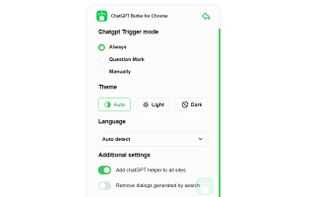
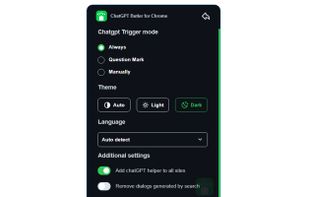
Additional features include the custom trigger mode, the day/night view selection, and the ability to copy responses to your clipboard. Furthermore, with ChatGPT's cutting-edge technology, you can rest assured that you will always receive the most precise and current information.
To get started, simply install ChatGPT Butler as a browser extension and log in to the chat.openai.com website. From there, you can start asking questions and getting answers right away.