


CAPS Wizard
CAPS Wizard is designed for people who type with one hand using Sticky Keys, or for anyone who presses the Caps Lock key frequently by mistake.
Cost / License
- Pay once
- Proprietary
Platforms
- Mac

Features
CAPS Wizard News & Activities
Recent activities
CAPS Wizard information
Developed by
John WoodwardLicensing
Proprietary and Commercial product.Pricing
One time purchase (perpetual license) that costs $6.Alternatives
1 alternatives listedSupported Languages
- English

What is CAPS Wizard?
CAPS Wizard is designed for people who type with one hand using Sticky Keys, or for anyone who presses the Caps Lock key frequently by mistake.
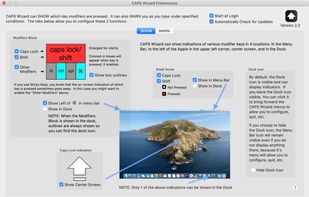
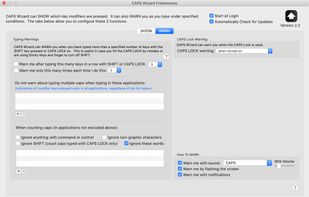
CAPS Wizard provides: • On-screen indications of when the Caps Lock, Shift, Function (fn), Control, Option, or Command keys are pressed (or stuck on by Sticky Keys) or • Warnings that: - You have turned on the CAPS Lock and/or - You have typed a specified number (default 5) of keys with the SHIFT key (or Sticky Keys SHIFT) or CAPS Lock and/or you have turned on the Num Lock.
CAPS Wizard warns you regardless of what application you are typing into. The warnings can be visual or audible.