


Calctus
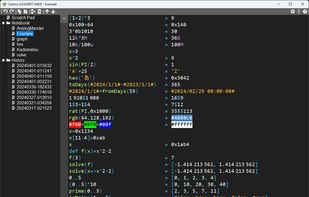
Calctus is a powerful RPN calculator application for Windows designed for engineers, featuring syntax highlighting, auto-completion, and support for various number formats.
Cost / License
- Free
- Open Source (MIT)
Platforms
- Windows

Calctus
Features
- Ad-free
- Works Offline
- Portable
- Reverse Polish notation (RPN)
Tags
- scientific-calculator
Calctus News & Activities
Recent activities
Calctus information
Developed by
shapocoLicensing
Open Source (MIT) and Free product.Written in
Alternatives
0 alternatives listedSupported Languages
- English

AlternativeTo Category
Education & ReferenceGitHub repository
- 544 Stars
- 16 Forks
- 37 Open Issues
- Updated
What is Calctus?
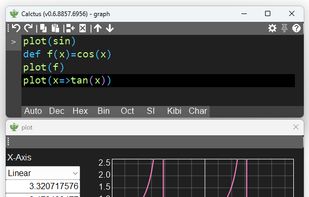
Calctus is a powerful RPN calculator application for Windows designed for engineers, featuring syntax highlighting, auto-completion, and support for various number formats including decimal, hexadecimal, and binary. It allows mixing of different number systems, supports SI prefixes, date-time formats, RGB color representation, and more. The application includes built-in constants and functions, user-defined constants and functions, and numerical equation solving using Newton's method. Key features include syntax highlighting, auto-completion, support for various number formats, and the ability to modify formula history for immediate recalculation. The application also supports external script calls as functions, graph plotting, and a range of keyboard shortcuts for efficient operation. Notable comments include detailed explanations of the solve function using Newton's method, part-selection capabilities, range operators, vectorization, and the process for calling external scripts as functions.