


Azure Storage Explorer
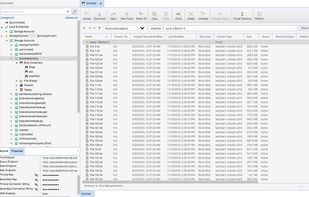
Upload, download, and manage Azure Storage blobs, files, queues, and tables, as well as Azure Data Lake Storage entities and Azure managed disks. Configure storage permissions and access controls, tiers, and rules.
Cost / License
- Free
- Proprietary
Platforms
- Windows
- Mac
- Linux
- Flathub

Azure Storage Explorer
Features
Azure Storage Explorer News & Activities
Recent News
Recent activities
Azure Storage Explorer information
Developed by
 Microsoft
 Licensing
Proprietary and Free product.Alternatives
0 alternatives listedSupported Languages
- English
What is Azure Storage Explorer?
Upload, download, and manage Azure Storage blobs, files, queues, and tables, as well as Azure Data Lake Storage entities and Azure managed disks. Configure storage permissions and access controls, tiers, and rules.
- Versatile: Manage your cloud storage accounts in multiple subscriptions across all Azure regions, Azure Stack, and Azure Government.
- Extensible: Add new features and capabilities with extensions to meet even more of your cloud storage management needs.
- Accessible: Take advantage of an accessible, intuitive, and feature-rich graphical user interface (GUI) for full management of cloud storage resources.
- Secure: Securely access your data using Microsoft Entra ID (formerly Azure Active Directory) and fine-tuned access control list (ACL) permissions.
Ease cloud storage management and boost productivity
Efficiently connect and manage your Azure storage service accounts and resources across subscriptions and organizations. Create, delete, view, edit, and manage resources for Azure Storage, Azure Data Lake Storage, and Azure managed disks.
View data effortlessly and quickly
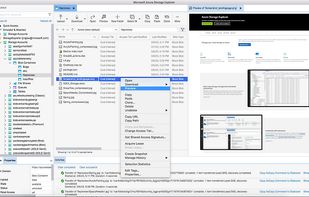
Save time and simplify your workflow by previewing data directly in Storage Explorer. View text data with rich formatting for JSON, view PDF documents, and browse images without having to download files to your computer.
Customize with extensions
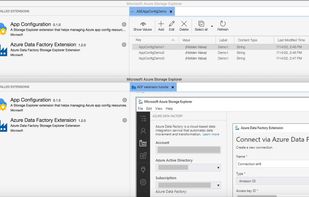
Customize Azure Storage Explorer to meet your needs. For example, use the Azure Data Factory extension to move data from other cloud storage services, such as AWS S3, to Azure Storage. Add the Azure App Configuration extension to your storage explorer to manage your application settings and feature flags in one place.
Get a powerful, accessible experience
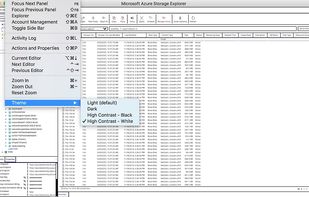
Seamlessly view, search, and interact with your data and resources using an intuitive interface. Improved accessibility with multiple screen reader options, high contrast themes, and hot keys on Windows and macOS.
Work your way on-premises or offline
Storage Explorer lets you work disconnected from the cloud or offline with local emulators like Azurite. This flexibility helps boost your productivity and efficiency while reducing costs.
Tighten up data access
Use the full range of Azure security features, including role-base access control, Microsoft Entra ID, connection strings, and access control list (ACL) permissions to connect and manage your Azure resources—always over HTTPS.