


Automatic PDF Processor
Monitor folders and automatically rename, move, copy, print, split, merge and email PDF files. Save extracted data, make PDF files searchable (OCR) and more.
Cost / License
- Pay once or Subscription
- Proprietary
 EU
EUPlatforms
- Windows

Automatic PDF Processor
Features
Properties
- Privacy focused
Features
- Ad-free
- Full-Text Search
- No Tracking
- Split PDF files
- Works Offline
- No Coding Required
- Combine PDF
- PDF encryption
- File Organizer
- PDF OCR
- Workflow Automation
- Email automation
Tags
- Extract text
- Remove PDF Passwords and Restrictions
- data-extraction
- pdf-forms
- pdf-print
Automatic PDF Processor News & Activities
Recent activities
- Gillmeister_Software added Automatic PDF Processor
Automatic PDF Processor information
Developed by
 Unknown
 Licensing
Proprietary and Commercial product.Pricing
One time purchase that costs $500, and / or subscription ranging between $5 and $8 per month.Alternatives
0 alternatives listedSupported Languages
- English
- German
What is Automatic PDF Processor?
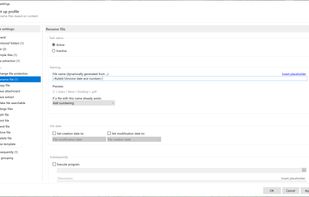
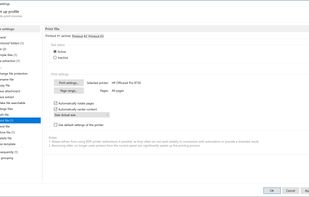
Automatic PDF Processor is a powerful Windows tool that automates the processing of PDF files. Monitor any number of folders and automatically print, rename, move, copy, split, merge, and email PDF files as soon as they arrive. Use flexible rules to filter files by content, metadata, or file info, and extract data from PDFs for use in file names, folders, or CSV exports. The software supports OCR to make PDF files searchable and can extract embedded attachments. You can split documents based on page count, file size, bookmarks, keywords, or barcodes (such as QR codes or Code 128), and merge PDFs dynamically. Set up custom profiles for different tasks, automate actions like printing only certain pages, and schedule processing for specific days or times. Automatic PDF Processor also allows you to process older files in monitored folders, archive PDFs using dynamic folder structures, and receive email notifications about processing status.